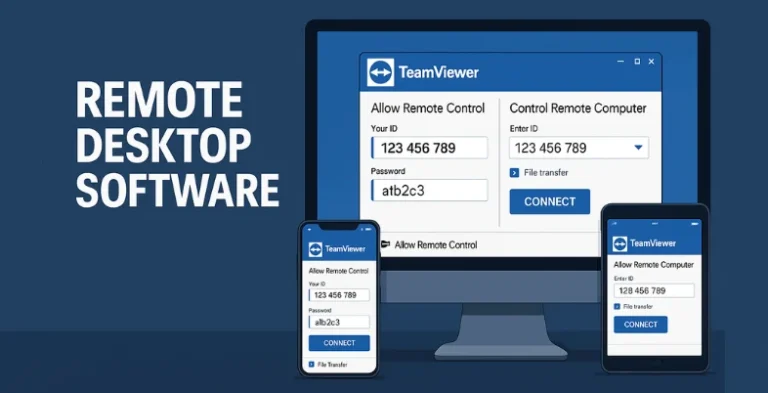
Remote desktop software has become a must-have tool in today’s world, where working from home and providing remote support are more common than ever. According to a 2024 report by MarketsandMarkets, the global market for these tools is set to jump from about $2.6 billion in 2023 to $7.2 billion by 2028. That’s a huge growth driven by businesses and individuals who want quick, secure access to their computers anytime, anywhere.
A 2023 Statista survey also found that over 61% of companies worldwide now allow remote or hybrid work, showing just how much people rely on remote access tools. With these tools, you can fix technical issues, share files, or work on important projects even if you’re miles away. In this article, we’ll look at 10 of the best remote desktop software options, what makes them special, and how you can try them yourself.
Why Remote Desktop Software Is So Popular Today
- Hybrid work boom: With over 61% of businesses now supporting hybrid or fully remote work, people need easy and secure ways to access office computers from anywhere.
- Real-time IT support: Companies can fix technical problems instantly by remotely connecting to devices, saving time and money on in-person visits.
- Access on any device: Modern remote desktop tools let users connect from laptops, tablets, and even smartphones, so work doesn’t stop when you leave your desk.
- Enhanced collaboration: Many tools offer features like chat, screen sharing, and file transfer, making it simple for teams to work together remotely.
- Cost-effective solutions: Instead of investing in complex on-site systems, businesses can choose affordable remote access tools to manage their operations efficiently.
Key Things to Look for When Choosing Remote Desktop Software
- Strong security: Always check for features like AES encryption, two-factor authentication, and secure network protocols to keep your data safe.
- Low latency and high speed: Fast, smooth connections help you work as if you’re right in front of the remote computer, even on slow networks.
- Cross-platform compatibility: Choose software that works seamlessly across Windows, Mac, Linux, and mobile devices for maximum flexibility.
- User-friendly interface: An intuitive design saves time and makes it easier for both beginners and experienced users to get started quickly.
- Extra features: Look for options like file transfer, remote printing, session recording, and multi-monitor support to boost productivity.
List of 10 Best Remote Desktop Software
1. TeamViewer

Among the most popular as of today, remote desktop software, TeamViewer can be defined as one of the most convenient remote desktop apps with the cross-platform capability. It aids the communication between the platforms of Windows, macOS, Linux, Android, and iOS, which makes it immensely flexible in terms of business and personal applications. Whether you need to connect to your home computer when you are on the road or give real-time assistance to customers distributed worldwide, do it without interruptions and without fear with the help of TeamViewer.
The application is encrypted with end-to-end AES and also has two-factor authentication, providing an excellent level of security to communicate sensitive information. In addition to its primary remote control specialty, TeamViewer also does collaboration very well. It has file transfer, VPN for PC, and even integrated video conferencing and chat, so you can troubleshoot, share presentations, or have a meeting without ever leaving the platform.
TeamViewer is free as a personal user whereas the enterprises can select, subject to some subscription plans that introduce additional capabilities such as superior device control, bulk deployments, and the possibility of multiple sessions. The compatibility between its reliability and the ease of use makes it the best choice of millions of users across the globe.
Top Features:
- Cross-platform access (Windows, Mac, Linux, mobile)
- End-to-end AES encryption and two-factor authentication
- File transfer and VPN functionality
- Integrated chat and video conferencing tools
- Commercial plans with device management and mass deployment
Website: https://www.teamviewer.com/en-in/
Pricing:
| TeamViewer Remote Access | TeamViewer Business |
| $8.39/mo | $17.49/mo |
2. AnyDesk

AnyDesk stands out in the remote desktop software market for its exceptional speed and responsiveness. Powered by its proprietary DeskRT codec, AnyDesk compresses and transfers image data efficiently, resulting in low latency and smooth user experiences—even over slower internet connections. This makes it especially valuable for users who need to work on graphic-intensive applications or access large files remotely.
The lightweight installation file and ability to run without installation add further convenience, allowing instant support or remote work sessions—ideal for those exploring remote business ideas and needing reliable tools for virtual collaboration. Another key advantage of AnyDesk is its robust security framework. It offers TLS 1.2 encryption and RSA 2048 asymmetric key exchange to keep your connections secure.
The software also supports unattended access, allowing users to connect to remote devices without manual confirmation—perfect for managing office computers from home. Its intuitive interface ensures even beginners can get started quickly, and flexible pricing plans cater to freelancers, small businesses, and large enterprises alike.
Top Features:
- Ultra-low latency and smooth performance with DeskRT codec
- Lightweight client and portable version without installation
- Unattended access for remote maintenance
- Secure encryption protocols
- Cross-platform compatibility
Website: https://anydesk.com/en
Pricing:
| Solo | Standard | Advanced |
| $12.60/mo | $16.51/mo | $38.49/mo |
3. ConnectWise ScreenConnect

ConnectWise ScreenConnect is an enterprise-level remote desktop software primarily aimed at IT departments and organizations using managed service providers (MSPs) and businesses that need to maintain secure and reliable assistance remotely. It provides high speed and real-time connections with a reduced latency rate and helps technicians trouble-shoot and manage remote computers.
It also allows setting up or joining sessions in record time and requires no complex installations, which saves time when carrying out support work. Another outstanding advantage of the ConnectWise ScreenConnect is that it has an impressive list of features. It consists of file transfer (secure), remote printing, chat, recording of sessions, and multi-monitor assistance.
Security is also one of the areas of the greatest concern, as AES-256 encryption, role-based access, and two-factor access are used to make sensitive data secure. It is easy to deploy the solution in the cloud or on-premises and, therefore, it is attractive to agencies with high levels of security requirements. Using adaptable prices, ConnectWise ScreenConnect is also suitable both to small support teams and large enterprises.
Top Features:
- Fast, browser-based connections
- Secure file transfer and remote printing
- Multi-monitor support and session recording
- Strong security with encryption and 2FA
- Cloud or on-premises deployment options
Website: https://www.screenconnect.com/
Pricing:
- Available on request
4. Chrome Remote Desktop

Chrome Remote Desktop offers a free and straightforward remote access solution that works through the Chrome browser. It’s perfect for individuals and small teams who want quick, no-fuss remote access without installing bulky software. With just a Google account and a few clicks, users can access their own devices or help friends and family troubleshoot technical issues remotely. It works across operating systems, including Windows, macOS, Linux, and Chromebooks.
Despite being lightweight, Chrome Remote Desktop provides a secure experience with AES encryption over a secure HTTPS connection. While it lacks advanced enterprise features like file sharing, multiple monitor support, and remote printing, its simplicity and cost-free nature make it a favorite among casual users and small businesses. The mobile app also allows users to access desktops on the go, further boosting its flexibility.
Top Features:
- Completely free and browser-based
- Easy setup through Google account
- Supports multiple platforms including Chromebooks
- Encrypted connections for security
- Mobile apps for Android and iOS
Website: https://remotedesktop.google.com/
Pricing:
- Free
5. Splashtop

Splashtop has gained recognition for providing high-performance remote desktop access at an affordable cost. It is set up to support both individual and commercial users by offering clear high-definition quality streaming and minimal latency, even on slow connections. For professionals seeking high paying remote jobs, Splashtop is an ideal tool that enables seamless work-from-anywhere capabilities. In the case of teams, Splashtop Business Access allows remote workers to operate from any location as long as they have access to the office computers.
Its user-friendly interface guarantees low learning curve, and it is easy to configure, with the help of cloud infrastructure. Splashtop pays a lot of attention to security and provides device authentication, two-step verification, and AES 256-bit encryption. It also provides such sophisticated functions as file transfer, remote print, chat, and multi-monitor.
To IT teams and MSPs, Splashtop SOS is a demand-based solution that does not have to be installed on the client machine ahead of installation. Splashtop offers extremely flexible plans such as educational and enterprise solutions to be highly customizable.
Top Features:
- HD-quality streaming and low latency
- Multi-monitor support and remote printing
- File transfer and chat capabilities
- Secure device authentication and encryption
- Specialized solutions for IT, education, and business
Website: https://www.splashtop.com/
Pricing:
| Solo | Pro | Performance |
| $3/mo | $8.25/mo | $13/mo |
6. Parallels Access

Parallels Access comes specifically designed to suit the needs of individuals who are in need of remote access to their desktop applications using mobile devices. It has the outstanding technology of Applification, whereas it converts the desktop application into mobile-friendly varieties, and they are simple to manage on mobile devices.
The mobile experience is nearly native when you need to edit documents, utilize spreadsheets, or even navigate through files, which dramatically lowers the frustration level in comparison with the traditional remote desktop interfaces. In addition to being optimized to be used on mobile devices, the Parallels Access is characterised by high performance and consistency, the connection is quite quick and there is little to no lag.
It is really flexible as users can access their Windows or Mac computers on iOS, Android, or web browsers. Other capabilities such as file browsing, copy-paste between the devices, and convenient remote file sharing enhance work. As one of the reliable remote access tools, it is most suited for professionals who frequently move around but need efficient, speedy access to work tools.
Top Features:
- Unique “Applification” for mobile-optimized desktop apps
- Fast, stable connections with minimal lag
- File browsing and remote file management
- Copy-paste and drag-and-drop between devices
- Cross-platform support (Windows, Mac, iOS, Android)
Website: https://www.parallels.com/
Pricing:
| Standard | Pro | Business | Enterprise |
| $56.89 | $68.25/yr | $85.32/yr | Contact Sales |
7. LogMeIn Pro

LogMeIn Pro is a product that logs in to small businesses and individual professionals, offering a fully wide range remote access solution and management abilities. It enables remote users to access their computers anywhere provided there is an internet connection; it provides high-quality streaming which makes working remotely easy.
More than just being easily accessed, it provides other functionalities such as file transfer, remote printing, and multi-monitor, which are vital in productivity, particularly in terms of businesses where a majority of the operations are performed digitally. LogMeIn Pro also boasts security as one of its strengths. It also actively employs TLS 1.2 transport security, AES 256-bit encryption and two factor authentication in the security of remote sessions.
It offers 1TB of cloud storage to share and store files in it safely and the user dashboard helps to manage the permission and users very easily on multiple devices. Even though it is not priced very low, it is highly featured, reliable, and customer-driven making it a good option for companies that need professional runs.
Top Features:
- HD-quality streaming and multi-monitor support
- Secure file transfer and remote printing
- 1TB of cloud storage included
- Advanced security features like AES encryption and 2FA
- Admin console for user and device management
Website: https://www.logmein.com/products/pro
Pricing:
| Individual | Power Users | Small Business |
| $29.17/mo | $70/mo | $128.34/mo |
8. Zoho Assist

Zoho Assist is specialized in remote support and unattended access, and thus is a perfect fit for IT help desks, managed service providers (MSPs), and businesses that deal with remote troubleshooting regularly. It is compatible with Windows, Mac, Linux, and mobile phones, enabling support organizations to resolve problems in the shortest time regardless of what device the client is using. For Mac users, it can also complement screen recording software for Mac, making it easier to document sessions or create training materials.
The fact that the clean, intended interface is easy to deploy and get through, is highly beneficial, particularly to the non-technical end-users. The most unique aspect of Zoho assist is the comprehensive functionality: screen sharing, file transfer, voice, and video chat, multi-monitor navigation, and custom branding of professional support experiences.
TLS 1.2 encryption and two-factor authentication are to deal with the security of the sessions. It has low prices and close integration with the rest of the Zoho business line (including, Zoho Desk and Zoho CRM), making it a proditable alternative to other companies that already use Zoho products.
Top Features:
- On-demand support and unattended access
- Voice, video, and text chat during sessions
- Multi-monitor navigation and file transfer
- Custom branding for businesses
- Strong security with encryption and 2FA
Website: https://www.zoho.com/assist/
Pricing:
| Standard | Professional | Enterprise |
| $4.67/mo | $7/mo | $11.20/mo |
9. VNC Connect

Developed by RealVNC, VNC Connect is built around the well-known VNC (Virtual Network Computing) protocol, which emphasizes security and simplicity. It enables remote access to computers worldwide, supporting a wide range of platforms including Windows, Mac, Linux, and Raspberry Pi.
VNC Connect is popular among educational institutions and enterprises that value open standards and flexible deployment options, whether through the cloud or directly via local networks. The software features robust security measures, including 128-bit AES encryption, granular access permissions, and multi-factor authentication.
Additional tools like file transfer, chat, and support for multiple users connecting to a single session enhance collaboration and troubleshooting. VNC Connect’s licensing is also flexible, allowing teams to choose between cloud and direct connectivity based on their needs, which is especially useful for organizations with strict data policies.
Top Features:
- Supports cloud and direct (LAN) connectivity
- Multi-platform support, including Raspberry Pi
- Secure connections with AES encryption and MFA
- File transfer and chat during sessions
- Simple, open-standard protocol for flexible deployment
Website: https://www.realvnc.com/en/connect/
Pricing:
| Essential | Plus | Premium |
| $8.25/mo | $16.50/mo | $29.75/mo |
10. RemotePC

RemotePC is an enterprise-level remotely controlled access application and one of the most reliable remote access tools with great scaling capacity, serving both individual and business users. It provides fluid, low-latency remote control even on low-speed networks and works exceptionally well with design software or video streaming. Through its web-based interface, it enables users to access machines without installing heavy applications, making it more flexible for users who need to work outside the office on different computers.
In addition to the typical remote desktop functionality, RemotePC offers safe file transfer, record sessions, remote printing, and collaborative tools with voice chat. Also it enables the use of always-on remote access, so it is convenient to handle unattended computers or servers.
It is very secure as it uses TLS session 1.2/AES-265 for encryption and two-step verification to secure important connections. It is competitively priced, which is coupled up with feature-strength plans of teams and enterprise accounts to be one of the competitive products offered in the market.
Top Features:
- Smooth performance and low latency even on slow networks
- Always-on remote access and web-based control
- Session recording and collaboration tools
- File transfer and remote printing
- Strong encryption and two-step verification
Website: https://www.remotepc.com/
Pricing:
| Consumer | Soho | Team | Enterprise |
| $22.12 first year | $74.62 first year | $224.62 first year | $449.62 first year |
Conclusion
To sum up, these tools make it very simple to access your computer from any location, assist friends or coworkers in resolving problems, and maintain the efficiency of your job regardless of your current location.
Whether speed, security, mobile access, or advanced features are your top priorities, there are many excellent solutions to select from. Purchasing the appropriate remote desktop software can significantly alter how you operate and maintain connections.
FAQs
1. Is Remote Desktop Software Safe to Use?
Yes, most modern tools come with strong security features like encryption and two-factor authentication. It’s important to choose a trusted software and set up secure passwords to keep your data protected.
2. Can I Use Remote Desktop Tools From My Phone or Tablet?
Absolutely! Many tools now have mobile apps for Android and iOS, making it easy to access your desktop or work files right from your phone or tablet.
3. Do I Need to be Tech-Savvy to Use Remote Desktop Software?
Not necessarily. Most tools today are designed to be user-friendly with simple setup guides, so even beginners can start using them quickly.