
The dynamic nature of cybersecurity in the modern, fast-paced world requires organizations to go out of their way to ensure that their most valuable digital assets are secured in ways that were not previously imaginable. Market size of privileged access management has been reported to have been US$3.6 billion in 2024, with an expected 23.3 percent CAGR between 2025 and 203,4, demonstrating the growing need for efficient security structures. PAM Tools have become the foundation of the contemporary approach to cybersecurity, as they grant organizations the capabilities to manage, monitor, and secure access to the most vital systems and data.
Such advanced platforms act as gatekeepers to the digital world, where only authorized users are capable of accessing critical infrastructure elements, databases, and the administrative capabilities. In recent years, the concept of the zero-trust security model has become popular, where every user must be verified first before being granted access to sensitive resources. With cyber attacks becoming more sophisticated and persistent in their occurrence, Best PAM Tools have evolved to be not only a security best practice, but as a business necessity which can spell the difference between organizational business processes resiling and desolation of corporate assets via data theft.
Why is Privileged Access Management (PAM) Tool Important?
Awareness of the extreme sensitivity of privileged access security will organize an organization to prioritize its budgetary allocations towards cybersecurity development and formulate strategies to protect its most valuable digital properties.
- Threat Mitigation: Enhanced security measures eliminate, to a great extent, the possibilities of unauthorized actions and possible alteration of information integrity with various types of verification.
- Compliance Requirements: Compliance, such as regulatory frameworks, will require strict access controls and a detailed audit trail to achieve an industry-specific security and comply with the law.
- Insider Risk Management: With broad monitoring solutions, activities of malicious external threats, as well as internal threats or rogue individuals, can be monitored and intercepted.
- Operational Efficiency: The automated user lifecycle management processes of automated provisioning and deprovisioning ensure that there are strict security measures set in the workflow of the organization.
- Cost: Preventive security tactics eliminate the costly security breaches and limit the financial fallout of a possible breach to the business processes.
Essential Features to Look for in PAM Tools
When choosing the most appropriate security platform, special attention and evaluation should be paid to the selection of key capabilities to provide complete protection and integration with the existing elements of the infrastructure.
- Credential Vaulting: Safe storage and encryption of privileged account passwords and access keys that include automatic rotation of credentials to increase security.
- Session Monitoring: Since the activities of privileged users are tracked in real-time, recording allows the maintenance or keeping of audit trails and ensures suspicious behavior is caught right as it is.
- Just-in-Time Access: Temporary privilege elevation where the exposure window is reduced to a bare minimum since access is only granted when explicitly required by a particular task or period.
- Multi-Factor Authentication: Enhanced authentication protocols that involve more than one criterion of verification before an individual can be allowed to access sensitive information/data and super-critical systems.
- Integration Capabilities: The ability to connect with existing security tools, the directory service, and enterprise applications to develop single security ecosystems.
Comparison Table for Privileged Access Management (PAM) Tools
| Solution | G2 Rating | Best Feature |
| ManageEngine PAM360 | 4.5/5 | AI-based threat detection and comprehensive logging |
| Okta PAM | 4.5/5 | Unified identity platform integration |
| CyberArk | 4.5/5 | Centralized credential management and session recording |
| JumpCloud | 4.5/5 | Built-in SSO with device management automation |
| BeyondTrust | 4.7/5 | Simplified privileged account inventory management |
| Delinea | 4.4/5 | Centralized PAM with customization flexibility |
| Microsoft PAM | 4.6/5 | Just-in-time privilege access with native integration |
| Zluri | 4.8/5 | Advanced discovery engine with automation workflows |
| IBM PAM | 4.1/5 | AI-powered user lifecycle management |
| One Identity Safeguard | 3.0/5 | Auto-discovery with unified access login |
List of the Best PAM Tools for 2025
1. ManageEngine PAM360
Rating: 4.5/5
Website: https://www.manageengine.com/privileged-access-management/
Best Use Cases: Enterprise security monitoring with AI-driven threat detection capabilities
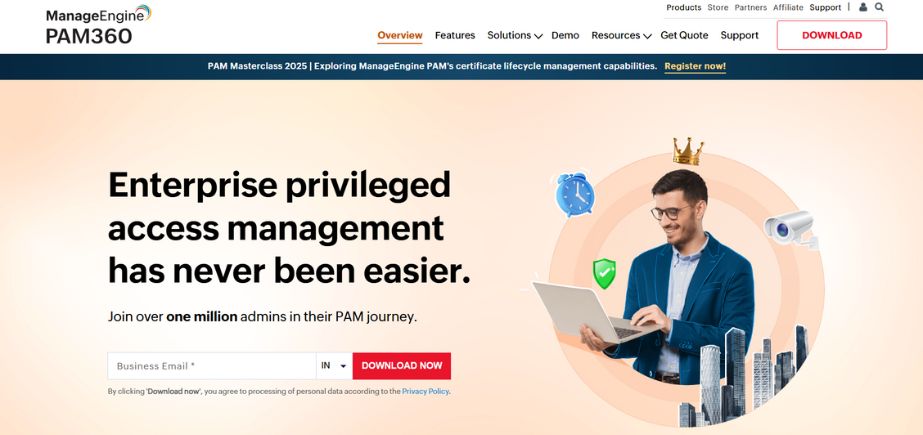
The ManageEngine PAM360 is a comprehensive security management tool that is part of the larger Zoho suite of solutions and platform offerings. The platform is more effective in identifying privileged accounts in complex IT environments, nd it has a lot of monitoring and control capabilities. The solution also assumes the integration with artificial intelligence and machine learning technology that would spot anomalies and possible security threats before they occur.
Due to its easy deployment method and its high security capabilities, the PAM360 is an optimal solution for organizations that require a high degree of threat identification, coupled with easy operation. With a combination of high visibility into privileged activity in an environment, and at the same time being easy to use by an administrator, the platform offers great value to its users.
Key Features
- Comprehensive logging capabilities
- AI-based security features
- Advanced discoverability tools
- User-friendly deployment process
- Context-aware event monitoring
Pros
- Extensive monitoring capabilities
- AI-powered threat detection
- Easy implementation process
Cons
- Limited customization options
- Higher learning curve
- Resource-intensive deployment
Pricing: $7,995/year.
2. Okta PAM

Rating: 4.5/5
Website: https://www.okta.com/
Best Use Cases: Organizations requiring a unified identity platform integration with streamlined workflows
Okta PAM fits perfectly into the Okta ecosystem of identity and access management practices that focus on a single solution to control both normal and privileged access to corporate resources. The strength of this solution is to apply the principle of least privilege through centralized management features, which avoids the use of different security tools. The platform also provides a level of automated workflows through (1) the ability to make access requests, (2) approval, and (3) revocation, which greatly eliminates administrative overhead.
Session monitoring features give enterprise businesses the ability to monitor their privileged users in real time, otherwise known as real-time monitoring, and this helps them to provide continuous visibility and inspection of what the user is doing and ensure that they adhere to the regulations in place. One advantage of Okta PAM is that it allows one to establish a complex security environment that is capable of growth as the organization grows.
Key Features
- Unified identity platform
- Least privilege management
- Real-time session monitoring
- Integration capabilities
- Automated workflow management
Pros
- Seamless platform integration
- Automated access workflows
- Comprehensive session visibility
Cons
- Subscription-based pricing model
- Limited offline capabilities
- Vendor lock-in concerns
Pricing: $6 per user / month
3. CyberArk
Rating: 4.5/5
Website: https://www.cyberark.com/
Best Use Cases: Large enterprises requiring comprehensive privileged account security and compliance
CyberArk is a market leader in the category of Best PAM Tools, which positions organizations with a multiple-layer security architecture that safeguards organizations against both internal and external threats. The platform gives centralized control capabilities to privileged accounts and offers end-to-end visibility of the activities of user access patterns across enterprises.
Such advanced monitoring systems can identify and respond to suspicious activities automatically, and recordings can be done in detail in order to allow forensic examination of those records. The solution deploys easily to cloud usage models and offers scalability to provide organizations that are in the process of digital transformation with scalable security options. The platform has a rich infrastructure capable of handling large enterprise applications and keeping the level of performance high.
Key Features
- Centralized credential management
- Privileged session monitoring
- Just-in-time privilege elevation
- Automated threat response
- Cloud integration capabilities
Pros
- Industry-leading security features
- Comprehensive session recording
- Scalable architecture
Cons
- Complex implementation process
- High licensing costs
- Steep learning curve
Pricing: $2 to $5 per user per month
4. JumpCloud
Rating: 4.5/5
Website: https://jumpcloud.com/
Best Use Cases: Small to medium businesses seeking integrated directory services management
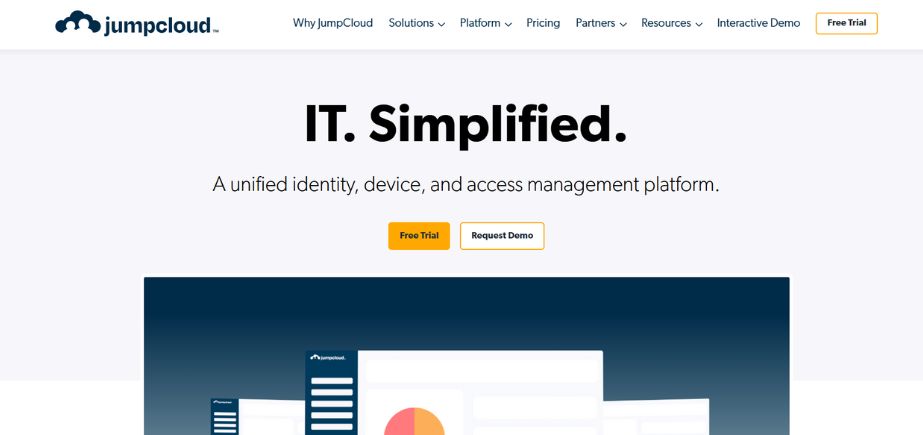
The open directory solution of JumpCloud includes strong privileged access management tools, which can make the task of managing security in a growing organization much easier. The solution offers an inbuilt single sign-on feature, which allows an administrator to manage access to resources by privileged and normal users through a centralized console. Policy configuration enables organizations to compel the use of multi-factor authentication, configure finer-grained access restrictions, and promote its usage in an organization.
The device management feature of the platform guarantees privileged access to the users as they have permission to use the entire device ecosystem, and this is done within the authorized credentials without manual updating. The positive aspect of JumpCloud is that it offers integration of a directory service to high-security capabilities have been offered at a comfortable level.
Key Features
- Built-in SSO features
- Policy configuration tools
- Device management automation
- SSH key management
- Automated credential updates
Pros
- Integrated directory services
- User-friendly interface
- Comprehensive device management
Cons
- Limited enterprise features
- Scalability constraints
- Basic reporting capabilities
Pricing: $9/user/mo billed annually.
5. BeyondTrust
Rating: 4.7/5
Website: https://www.beyondtrust.com/
Best Use Cases: Organizations requiring secure remote access without VPN dependencies
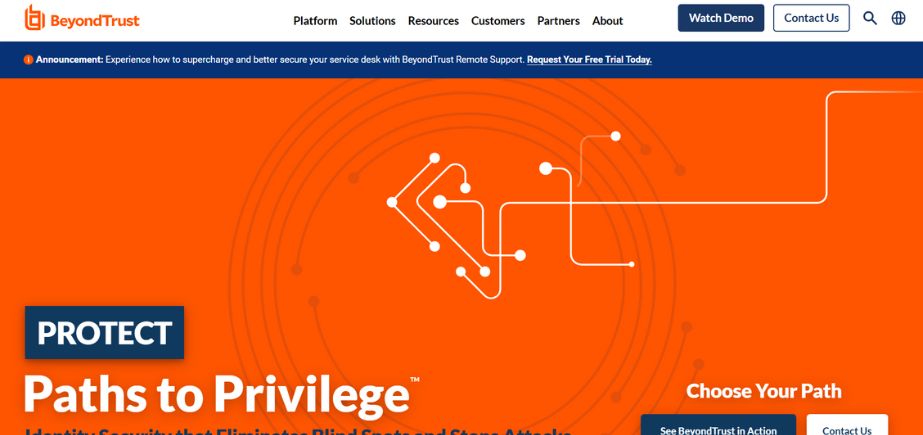
The BeyondTrust governs privileged access management software that covers the requirements of various organizations, including DevOps environments, high-security settings, and the management of network devices. It provides secure access to the non-traditional VPN infrastructure and internal users and third-party vendors.
With BeyondTrust Password Safe integration, secure stores of credentials and direct session injection capabilities are acquired. The sophisticated monitoring and auditing technology offers the administrators customizable notification mechanisms and authorization of privileged access operations. The BeyondTrust solution is the best to offer in the provision of a wide range of access options with a tight security policy in different working conditions.
Key Features
- Simplified inventory management
- Server visibility tools
- Secure access workflows
- VPN-free remote access
- Integrated credential vaulting
Pros
- Flexible access options
- Strong remote capabilities
- Comprehensive monitoring tools
Cons
- Complex pricing structure
- Limited cloud-native features
- Integration challenges
Pricing: Starts at $3,000 per month for basic deployments with custom enterprise pricing available.
6. Delinea
Rating: 4.4/5
Website: https://delinea.com/
Best Use Cases: Organizations seeking customizable PAM solutions with detailed auditing capabilities
Delinea Secret Server is the privileged access management solution that gives organizations complete visibility and control over privileged access and access rights to the systems and applications containing critical corporate data. This platform uses centralized security strategies that protect all privileged credentials as well as force multi-factor authentication in the access control process. Enhanced password rotating policies reduce risks by updating stagnated credentials on a regular basis and keeping access procedures secure.
Session management and recording features track all the activities of users in detail, and thus an organization is able to detect malicious activity, and a complete audit trail is generated. The big advantage of Delinea is that it has a very large customization flexibility and is very straightforward, enabling the organization to modify the solution to suit its needs.
Key Features
- Centralized credential protection
- Password rotation policies
- Session recording functionality
- Customization flexibility
- Detailed audit reporting
Pros
- Highly customizable platform
- Comprehensive audit capabilities
- Strong credential protection
Cons
- Complex configuration requirements
- Higher maintenance overhead
- Limited cloud integration
Pricing: Starts at $27 per user per month with professional services available for implementation.
7. Microsoft PAM

Rating: 4.6/5
Website: https://www.microsoft.com/en-in/
Best Use Cases: Microsoft-centric environments requiring native integration with existing ecosystem components
Microsoft Privileged Access Management can easily fit within the Microsoft environment, and it gives organizations a wide range of security features in regards to privileged access management across their digital environment. This platform introduces a just-in-time modality of access, reducing risks since such modalities grant privileges to ensure that specific tasks are carried out rather than being available indefinitely. Strong credential management features provide secure credential storage, rotation, and tracking of privileged credentials over their lifecycle.
One can find comprehensive audit and reporting features that will bring in more details to the privileged access actions and assist in the compliance needs. The advantage of Microsoft PAM is its ability to natively integrate with other Microsoft products, which makes it a single security platform in an organization that already uses the Microsoft stack of products.
Key Features
- Just-in-time access model
- Credential management system
- Audit reporting capabilities
- Native Microsoft integration
- Comprehensive monitoring tools
Pros
- Seamless Microsoft integration
- Cost-effective licensing
- Familiar user interface
Cons
- Limited third-party integration
- Windows-centric architecture
- Basic customization options
Pricing: Included with Microsoft 365 E5 licensing or available as a standalone solution starting at $6 per user per month.
8. Zluri
Rating: 4.8/5
Website: https://www.zluri.com/
Best Use Cases: Modern enterprises requiring advanced discovery engines and automated governance workflows
The access management solution developed by Zluri revolutionizes organizational thinking around access control and governance by providing discovery and automation abilities as advanced features. The portal guarantees the right access to needed resources by the authorized employees, but at the same time, it introduces a wide range of verification mechanisms to the security strategy.
There are several access control policies, such as segregation of duties, the principle of least privilege, and role-based access control, that develop layered security architectures that are layered. Regular access review ensures that the workers have access to match their job duties and the organizational needs. The advantage of Zluri is the innovative engineering of discovery, which employs five different means to give detailed insights into how users access things and relations between applications.
Key Features
- Advanced discovery engine
- Automation workflows
- User lifecycle management
- Self-serve access model
- Comprehensive policy enforcement
Pros
- Innovative discovery capabilities
- Automated governance workflows
- Excellent user ratings
Cons
- Newer market entrant
- Limited enterprise references
- Evolving feature set
Pricing: Custom pricing based on organization size and feature requirements, starting at $8 per user per month.
9. IBM PAM

Rating: 4.1/5
Website: https://www.ibm.com/in-en
Best Use Cases: Large enterprises requiring AI-powered identity management with cloud platform integration
IBM Cloud Privileged Access Management is an all-inclusive part of the encompassing IBM Identity and Access Management, which enables organizations to manage the entire lifecycle of users. The platform uses artificial intelligence, big data analytics, and deep learning to automate identity management processes such as changes in access and the detection of oddities. Smooth interconnection of the cloud platforms with the most popular cloud platforms enables security to reach out to the application and resources in the cloud across various digital domains.
The solution offers centralised management platforms to fully control user life cycles as well as self-service access areas that decrease administrative work. IBM PAM has its strong point in the ability to automate business processes using AI-based technologies that can guarantee high productivity, efficiency, and adherence to security standards.
Key Features
- AI-powered automation
- Cloud platform integration
- Holistic lifecycle management
- Self-service portal
- Efficient access control
Pros
- Advanced AI capabilities
- Strong cloud integration
- Enterprise-grade scalability
Cons
- Complex implementation
- High total cost
- Steep learning curve
Pricing: Enterprise licensing starts at $15 per user per month with volume discounts for large deployments.
10. One Identity Safeguard
Rating: 3.0/5
Website: https://www.oneidentity.com/
Best Use Cases: Organizations requiring risk-based access evaluation with comprehensive audit capabilities
One Identity Safeguard has advanced privileged access management features with the potential to shield the modern enterprise from various security threats by engaging in a complete risk assessment exercise. The platform performs a proper review of risks before granting administrative access to critical systems and objects, allowing companies to cope with changes in the threat landscape. Enhanced monitoring feature enables IT administrators to detect and neutralize risky behavior early before it occurs, and still have secure protocols in place.
Consolidated access logging capability streamlines actions of the users since it allows access to both privileged and non-privileged assets with a single login. The main strength of One Identity Safeguard is that it has comprehensive capabilities for audit trails that track user activities and access events that need to be utilized to provide compliance and forensics analysis.
Key Features
- Auto-discovery provisioning
- Unified access login
- Configurable multi-factor authentication
- Comprehensive audit trails
- Risk-based access evaluation
Pros
- Strong audit capabilities
- Unified access approach
- Risk-based evaluation
Cons
- Lower user ratings
- Limited modern features
- Complex configuration
Pricing: not publicly available and must be obtained by contacting their sales team or requesting a quote
How to Choose the Right Privileged Access Management (PAM) Solutions
The choice of the best security platform is crucial, as one must carefully consider organizational needs, technical abilities, and long-term strategic goals so as to guarantee optimum protection and gain efficiency.
- Evaluation: Thorough analysis of existing security infrastructures, security gaps/weaknesses that should be addressed on priority and future-growth needs and scalability, just in case of increased protection.
- Integration: Analyze the interoperability of the tools with other current security tools, directory services, and the enterprise applications so that the integration can be seamless without interfering with the current operational processes, and also to avoid causing extra administrative burden.
- Scalability: Think about platform scalability so that the solution can be large enough to support organizational expansion, increase the number of users, and address changing security demands without compromising the performance level and cost-effectiveness due to the deployment lifecycle.
- Compliance: Ensuring that the solutions chosen can cater to the irregularities in the industry (regulatory-wise) and offer full auditing capacity that is needed to show compliance during an assessment, as well as continuous regulatory compliance.
- Vendor Support: Take into consideration the quality of vendor support, support in implementation, training facilitiess, and the ability to maintain the long-term success in operations with minimal use of internal resources.
Conclusion
The environment of cybersecurity has been changing fast and furiously as ever, so it is only logical that the successful deployment of properly designed PAM Solutions is becoming more of a necessity than ever to all organizations, regardless of size. Understanding modern access management challenges and how PAM360 helps enterprises stay on top of the identity security game can provide deeper insights into strengthening security frameworks. Zero-trust security systems have been increasingly popular and have introduced some important shifts to the security systems of organizations with regard to access control and privileging strategies. All of this is made possible in these all-inclusive platforms that form the basis of contemporary security models, allowing organizations to secure their most cherished data without compromising efficiency in their business processes.
The choice of the right Privileged Access Management (PAM) Solutions should be carried out taking into account the needs and demands of the organization, technical possibilities, and strategic goals. The solutions included in this guide are the best solutions that exist at the moment, with each having its own capabilities and features that define it to overcome certain security challenges and operational processes. Advanced AI-enabled threat detection, smooth compatibility with clouds, and full-featured audit features are only a few of the extensive options that such platforms serve to offer to the organization to implement world-standard security levels that are best suited to the specific needs of the organization and can fall in line with organizational standards.
FAQs
Q: What are Privileged Access Management (PAM) Solutions?
A: PAM solutions represent cybersecurity systems that manage, track, and enforce security on access by providing advanced authentication and authorization of such sensitive data and critical systems.
Q: What is the cost of PAM solutions?
A: Depending on the feature and size of the organization, the pricing ranges between $2-50 per user monthly, whilst using basic solutions,s to 50,000+ annually using enterprise platforms.
Q: Which industries can the implementation of PAM help most?
A: The key sectors leveraging PAM solutions are healthcare, financial services, government, and manufacturing sectors that have high compliance requirements and data protection sensitivity.
Q: How much time does an implementation of the PAM solution take?
A: Depending on the size and need of the organization, implementation would be within 2-3 months in case of light deployments, to 12+ months in case of complex enterprise deployment.
Q: Do the PAM solutions support third-party security tools?
A: Indeed, updated PAM systems have an expansive list of integrations with SIEM, directory services, and other security products to form end-to-end security systems.