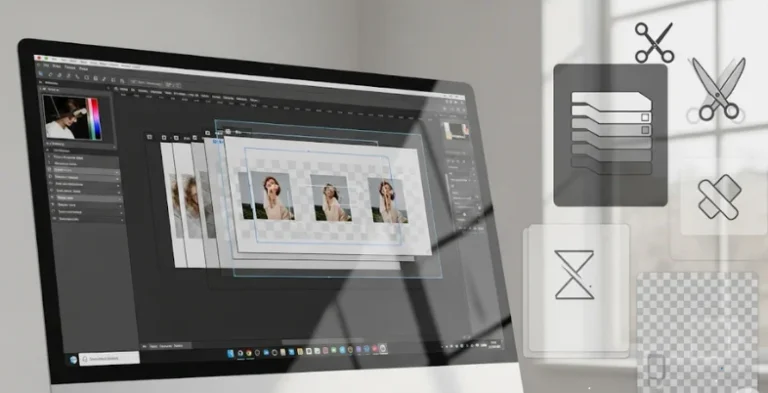
Did you know that images with clean, professional backgrounds can boost online sales by up to 40%? According to a 2024 ecommerce report by Shopify, high-quality product photos are one of the top three reasons customers decide to buy.
It’s no surprise, then, that background removal and clipping tools have become so popular. In fact, the global market for image editing software — including clipping tools — was valued at over $1.3 billion in 2023 and is expected to grow at a rate of 8% every year till 2030 (source: Grand View Research, 2024). From AI tools that do the work in seconds to professional software that gives you pixel-perfect control, there’s something for everyone, no matter your skill level.
In this article, you’ll find 15 of the best clipping software programs you can use right now to create stunning visuals, save time, and make your photos look like they were edited by a pro — even if you’re not one!
Why You Should Use a Good Clipping Tool
- Save Time and Effort: A good clipping tool can automatically remove backgrounds in seconds, saving hours of manual editing work that you’d otherwise spend tracing edges by hand.
- fProfessional-Looking Images: Clean cutouts make your photos look polished and high-quality, which is crucial if you’re selling products online or designing marketing materials.
- Boost Sales and Engagement: For ecommerce sellers, better images mean higher trust — studies show that clear product photos with no messy backgrounds can increase conversion rates by up to 40%.
- Flexible Creative Control: Many clipping tools give you manual brushes, erasers, or edge refinements, so you can tweak small details and get exactly the look you want.
- Works for Many Purposes: Whether you’re creating ads, profile pictures, presentations, stickers, or YouTube thumbnails, clipping tools help you make visuals that stand out.
Tips for Getting the Best Results with Clipping Tools
- Use High-Resolution Images: Always start with clear, high-res photos — low-quality images make it harder for AI to detect edges, leading to blurry or jagged cutouts.
- Check and Refine Manually: Even the best AI tools can miss tiny details like hair strands or tricky edges, so use manual brushes or edge refinement tools to perfect the final result.
- Add Realistic Shadows or Backgrounds: To make your clipped subject look natural, add a soft shadow or place it on a suitable new background instead of just leaving it on plain white.
- Use Batch Processing for Big Jobs: If you have hundreds of images, choose a tool that supports bulk clipping so you can process all your files at once and save huge amounts of time.
- Compare Tools Before You Commit: Test a few different tools — some offer free trials — to see which one gives you the best balance of speed, quality, and extra editing options.
List of Top 15 Best Clipping Software
1. Adobe Photoshop

Adobe Photoshop is the gold standard that other industry tools used in the clipping and image editing tasks. Designers all over the world use its destructive tools to generate accurate cutouts and use complicated pictures. Photoshop has various selection devices which are the Pen Tool, Lasso Tool, and Quick Selection Tool which permit users to separate subjects pixel-adequately. To handle difficult shots such as hair and fur, advanced masking capabilities and refinement brushes allow preserving the micro details at the same time ,removing the unwanted backgrounds without any effort.
In addition to clipping, Photoshop offers a powerful set of tools that allow designers to manipulate colors, add effects, produce layers, as well as to deal with smart objects. It is not difficult to sync files and work with groups since it is connected to Adobe Creative Cloud. Photoshop has a higher learning curve than less powerful online programs, but its flexibility and functionality more than make up the difference to anyone who means business when it comes to professional-quality clipping and image manipulation.
Top Features:
- Advanced Pen Tool for precise clipping paths
- Smart object and layer masking
- Refine Edge and Select and Mask tools for complex cutouts
- Support for high-resolution images and batch processing
- Integration with Adobe Creative Cloud
Website: https://www.adobe.com/products/photoshop.html
Pricing: $6.97/mo
2. Remove.bg

Remove.bg is among the most applauded artificially intelligent clipping services that have been developed to ensure the effect of removing background is done with ease. A single click identifies the subject in a picture and removes the background automatically, which saves precious time of designers and ecommerce sellers. It is simply amazing to work with portraits, edit product photos and even in groups. The end users have the alternatives to upload images through the site, and use the desktop software, and also incorporate it in their workflow through Photoshop and other programs which feature it in the form of plugins.
One of the things that make Remove.bg attractive is a user-friendly interface and an accurate output. The tool has been equipped with deep learning to process the quirky edges such as hair, object semi-transparency. It also gives an optional editor to clean up cutouts by hand should they be necessary when it does not get it 100%.
Top Features:
- One-click automatic background removal
- AI-based edge detection for complex subjects
- Bulk image processing
- API and plugin integrations
- Online editor for manual touch-ups
Website: https://www.remove.bg/
Pricing:
| Lite | Pro | Pay as you go |
| $6.27/mo | $27.74/mo | $2.33 for 3 credits |
3. Clipping Magic

Clipping Magic is a specialised internet clipping tool that was designed with the business owners and individuals in the condition to desire perfect cutouts quickly. It has an easy to use drag and drop interface and you could upload an image and there are simple green (keep) and red (remove) brushes so you could mark the part you want to keep or delete. The smart algorithm in the tool will form an accurate cutout which can then be perfected in real time. Online retailers, photographers, and graphic designers that would prefer control but dislike complex software use Clipping Magic quite extensively.
Another outstanding attribute of Clipping Magic is its background editor that allows you to replace the background you have removed with a new color, pattern or even transparency within no time. It also has the tools of hair touch up, smooth the edges and adjust shadows to make the final cut out feel natural. Clipping Magic, unlike other AI-only tools, provides you with the option to control your outputs manually to achieve optimal results, and can be an excellent choice of tool in case you prefer your results to be precise and customized.
Top Features:
- Interactive green/red brush for precision clipping
- Real-time preview and edge refinement
- Background replacement options
- Hair and edge touch-up tools
- Bulk upload and batch processing
Website: https://clippingmagic.com/
Pricing:
| Lite | Standard | Pro |
| $2.24/mo | $4.24/mo | $10.99/mo |
4. Canva Background Remover

Canva earned its place as a household name when it comes to online design and one of its most-popular features is built-in Background Remover. This feature is available to Canva Pro users who can click an image and with a click of a button get a background-free picture. No matter the graphics you need to design (social media, presentations, marketing materials, and so on), you can easily make your cut dolls look professional with the help of the background remover and Canva drag-and-drop editor.
The distinguishing feature of the Canva clipping tool is that it is well integrated into a more complex whole: a design process. Once the background is removed, you may put the cutout onto custom templates, type some texts, make an overlay, animation, or export your cutout to do something with it. This renders it ideal to marketers, content developers and small business proprietors who desire a complete structure platform that arrives with pioneering and yet basic clipping characteristics.
Top Features:
- One-click background removal
- Integrated with Canva’s full design suite
- Easy manual adjustments and eraser tool
- Access to millions of stock images and templates
- Export cutouts in multiple formats
Website: https://www.canva.com/
Pricing:
| Free | Pro | Team | Enterprise |
| $0 | $46.52/mo | $46.52/mo | Available on request |
5. Fotor Background Remover

Fotor is another popular online photo editing platform with a reliable clipping tool. Its Background Remover allows you to remove unwanted backgrounds with AI detection or manual brushes for greater precision. Fotor’s clean interface makes it easy for beginners to create clean cutouts without needing advanced editing skills. It’s widely used for product photography, social media visuals, and personal projects.
In addition to background removal, Fotor offers a comprehensive range of editing tools, from filters and effects to text overlays and design templates. You can tweak your clipped images by adding new backgrounds, adjusting colors, or creating collages, all within the same platform. This makes Fotor a great choice for content creators and online sellers who want a budget-friendly, easy-to-use clipping tool bundled with other design capabilities.
Top Features:
- AI-powered automatic background removal
- Manual brush tools for touch-ups
- Easy-to-use online editor
- Background replacement options
- Integrated photo effects and templates
Website: https://www.fotor.com/
Pricing: Free
6. Pixlr Remove BG

Pixlr is a well-known online photo editor that combines powerful editing features with a user-friendly experience. One of its standout tools is Pixlr Remove BG, a free background remover powered by AI. With just one click, it detects and cuts out the subject, producing a clean, transparent background in seconds. Whether you’re editing product images, portraits, or marketing graphics, Pixlr Remove BG offers a quick and hassle-free way to get professional results without needing advanced photo editing skills.
What’s more, Pixlr integrates its clipping tool directly into its main editor, so after removing the background, you can enhance your image with filters, overlays, text, or graphic elements all in one place. For users who want a flexible, browser-based editor that handles everything from simple cutouts to full graphic design tasks, Pixlr is an excellent choice. It’s free to use for basic tasks, with affordable premium plans for higher resolution and advanced features.
Top Features:
- One-click AI background remover
- Integrated with full Pixlr X and Pixlr E editors
- Easy manual fine-tuning with eraser/restore brush
- Free to use for standard tasks
- Supports multiple file formats and layers
Website: https://pixlr.com/
Pricing:
| Plus | Premium | Team |
| $2.49/mo | $9.99/mo | $16.99/mo |
7. PhotoScissors

PhotoScissors is a specialized program designed to do only one thing: clipping and background removal. Targeting both amateurs and professionals, it allows you to get rid of backgrounds on images with the least amount of problems. All you have to do is upload your photo and PhotoScissors can automatically detect what or who is in the photo and cut the background. Tricky areas can be pared off with a green (keep) and red (to cut out) marker, giving a nice and clean cutout.
One of the biggest benefits of PhotoScissors is that it may be both an online program and a desktop one so a user can find the most suitable option in accordance with his/her requirements. It suits perfectly for ecommerce product photography, or ID photography, or even in any scenario when you want a quick and fast background removal. It is also helpful in replacing the background that is removed with a new picture, single color or transparent one, which is why it can be useful to small businesses and content creators.
Top Features:
- Automatic subject detection and clipping
- Simple brush tools for fine adjustments
- Supports transparent, solid, or custom background replacement
- Desktop and online versions available
- No advanced photo editing skills needed
Website: https://www.photoscissors.com/
Pricing: Pay as you go
8. Slazzer

Slazzer is another popular AI-powered background remover that’s widely trusted by ecommerce businesses, photographers, and graphic designers. Slazzer, which is renowned for its quickness and precision, automatically identifies subjects and eliminates the backdrop with a single click. It produces excellent results in a matter of seconds and manages difficult aspects like hair and fur fairly well. Businesses with extensive product catalogs can save a significant amount of time by using the desktop application or processing photos online, which allows users to process thousands of photographs at once.
In order to facilitate integration into your workflow, Slazzer also provides plugins for Photoshop, Shopify, WooCommerce, and other platforms. For additional customization, you can alter the backgrounds, apply shadows, and enhance the edges using the editor that comes with it.
Top Features:
- Fast, one-click AI background removal
- High-quality results with complex edges
- Bulk processing with desktop app
- API and plugin integrations for popular platforms
- Built-in editor for custom backgrounds and shadows
Website: https://www.slazzer.com/
Pricing: Pay as you go
9. InPixio Remove Background

InPixio has a wide scope of photo editing tools and its Remove background tool is a tool of choice among novice users and self-accredited designers. The tool employs the AI to quickly identify and trim the main subject and introduce a transparent background that is eager to be used in collages, on product listings, or shared on social media. It is user-friendly you submit your photo, and in two seconds you can have your erased picture downloaded back.
InPixio gives you the opportunity to perfect the cut out using manual erase or restore brushes and therefore make some corrections to the details that may have been overlooked during the automatic removal. When you have already clipped your image, you can add new backgrounds, implement filters, or prepare some marketing materials on the same platform. InPixio is a great program to use as it is very inexpensive since the users usually only require the clean cut out and the simplicity and the explainable interface that it uses.
Top Features:
- Automatic background removal with AI
- Manual touch-up tools for precision
- Integrated with InPixio’s full suite of editing tools
- Intuitive and beginner-friendly interface
- Affordable plans for individuals and small teams
Website: https://www.inpixio.com/
Pricing:
| Free | Pro |
| $0 | $3.34/yr |
10. GIMP

GIMP (GNU Image Manipulation Program) is a powerful open-source image editor that rivals professional software like Photoshop — and it’s completely free. For users who want more control over their clipping paths, GIMP offers manual selection tools like the Paths Tool (similar to Photoshop’s Pen Tool), Foreground Select Tool, and advanced layer masks. These tools allow you to isolate subjects with pixel-level accuracy, making GIMP ideal for designers who prefer hands-on editing over automatic AI solutions.
Because it’s open-source, GIMP is highly customizable with plugins and extensions that can add even more clipping and masking capabilities. It works well for advanced tasks such as cutting out complex shapes, refining edges, and combining multiple layers into polished designs. While it may require more effort and practice compared to one-click tools, GIMP is perfect for those who want professional-level clipping without paying for expensive licenses.
Top Features:
- Manual clipping paths and masking tools
- Free and open-source with active community support
- Supports complex selections and detailed edits
- Highly extensible with plugins
- Works on Windows, Mac, and Linux
Website: https://www.gimp.org/
Pricing: Free
11. Background Eraser by Apowersoft

Apowersoft’s Background Eraser is a versatile clipping tool that combines AI automation with manual editing for maximum precision. Designed for both personal and business use, it can instantly remove backgrounds from portraits, product photos, and graphics with impressive accuracy. Users just upload an image, and the AI quickly isolates the main subject. For tricky areas, you can manually adjust the cutout using the erase and keep tools to perfect the edges.
Background Eraser is available as a web app, desktop software, and mobile app for iOS and Android — making it extremely convenient for on-the-go editing. In addition to background removal, it offers features like photo retouching, ID photo maker, and background templates. Its drag-and-drop simplicity and affordable plans make it an excellent choice for ecommerce sellers, social media creators, and anyone who needs high-quality cutouts without complex editing software.
Top Features:
- AI-powered automatic clipping
- Manual erase and keep tools for detail work
- Available on web, desktop, and mobile
- Ready-to-use background templates
- Batch processing for multiple images
Website: https://www.apowersoft.com/background-eraser
Pricing:
| Free | Pro |
| $0 | $29.99/yr |
12. PicWish

PicWish is a simple AI clipping tool that was made to do fast and bulk background removal. No matter how many photographs you need to edit, with PicWish the background removal tool can place an intense emphasis on the crispness of the subject. Online sellers particularly use it to produce product images of clean, white or transparent backgrounds, which are required by market places such as Amazon, eBay and Etsy. People like using it because it has a direct interface, load, click, download.
In addition to background removal, PicWish also has some additional features of image enhancement, retouching, shadows or new background. The batch-processing aspect is quite excellent especially when serving businesses having large catalogs that would like to automate routine tasks. On the developer side, PicWish also provides an API to put their own project in their own websites or apps. That is why PicWish is suitable for both solo entrepreneurs and small crews as well as large online shops.
Top Features:
- One-click AI background remover
- Bulk processing for thousands of images
- Manual brush for fine-tuning
- Shadow and background editing options
- API integration for custom workflows
Website: https://picwish.com/
Pricing: Free
13. Removal.ai

Removal.ai is a simple yet powerful online clipping tool trusted by designers, photographers, and digital marketers for its speed and ease of use. Like other AI tools, it uses advanced algorithms to detect and separate subjects from their backgrounds automatically, delivering clean, high-resolution cutouts in just a few seconds. Users can upload single images or process multiple files at once with the bulk feature.
What makes Removal.ai stand out is its dedicated focus on fast turnaround and quality output. It supports resolutions up to 12 megapixels, which is higher than many other free tools. Additionally, the API and plugin support allow businesses to integrate Remove.ai into their ecommerce sites or creative pipelines easily.
Top Features:
- Automatic background removal with AI
- High-resolution support up to 12 MP
- Bulk background removal
- API and plugin integrations
- Simple, user-friendly interface
Website: https://removal.ai/
Pricing: Free
14. BackgroundCut

BackgroundCut is one more great AI-powered background remover offering quick and effective clipping of any kind of image portrait or object. The outstanding ability here is its accuracy: the AI model is specifically trained to work with such delicate details as hair strands, semi-transparent patches, which are commonly difficult to work with automatic tools. The uploading and processing is easy and results normally come in a few seconds.
In addition to the background removal, BackgroundCut allows its users to clean up edges manually, to replace backgrounds, and to use shadows so as to depict realistic depictions of products. It also provides online and API to be implemented into ecommerce and design processes. BackgroundCut is a reliable alternative to many online retailers and photographers due to its scalable prices which are very convenient to pay in case you need to have a professional-level clipping result on a frequent basis.
Top Features:
- High-accuracy AI background removal
- Handles tricky edges and fine details
- Manual refinement tools for perfect cutouts
- Background and shadow customization
- API for ecommerce and developer use
Website: https://www.backgroundcut.co/
Pricing:
| API Only | Unlimited |
| $10/mo | $9/mo |
15. Trace by Sticker Mule

Trace is a free, ultra-simple background remover developed by Sticker Mule, the custom sticker company. Designed for everyday use, Trace lets you remove backgrounds from images in a single click — perfect for creating product cutouts, social media graphics, or custom sticker designs. Just drag and drop your image onto the Trace interface, and within seconds, you get a clean cutout with no fuss.
While Trace doesn’t offer advanced editing or manual refinements like some other tools, its strength lies in its simplicity and speed. It’s particularly handy for anyone who needs to create quick cutouts for print or online use without dealing with complex software. If you’re designing custom merch or prepping images for marketing materials, Trace is a convenient and cost-free tool to keep in your design toolkit.
Top Features:
- Free, one-click background removal
- Fast and simple drag-and-drop interface
- High-quality automatic clipping
- Designed for easy sticker and merch creation
- No installation needed — works entirely online
Website: https://www.stickermule.com/trace
Pricing: Free
Conclusion
In conclusion, a good clipping software can really help you with your work, whether you’re a business owner, an artist, or someone who just loves making pretty pictures. With only a few clicks, you can achieve clean, polished results instead of spending hours manually cutting off backdrops.
Whether you’re creating humorous social media posts or altering product photographs for your online store, there’s something here for everyone, from fast AI removers to robust manual editors. Explore a few choices, determine which suits you most, and take pleasure in producing photos that appear expertly done without the hassle or squandered time!
FAQs
What is a clipping tool used for?
A clipping tool is used to remove the background from an image so you can keep only the main subject. This makes your photo look clean and professional and allows you to place the cutout on a new background if you want.
Are these tools easy for beginners to use?
Yes! Many modern clipping tools use AI to do most of the work for you. Some tools also offer simple brushes or sliders so even beginners can fine-tune the cutout without learning complicated software.
Can I remove backgrounds in bulk?
Absolutely. Some tools have a bulk or batch processing feature that lets you remove backgrounds from dozens or even hundreds of images at once — perfect for online sellers or businesses with large product catalogs.