Not every website owner wants to wrestle with complicated dashboards just to understand what’s happening on their site. While Google Analytics is powerful, it’s not always the easiest or the most privacy-friendly option anymore.
In 2026, the way we track and understand website data is changing fast. Users care more about privacy, businesses want clearer insights, and no one has time to dig through endless reports just to find simple answers. That’s why many people are now exploring better, smarter Google Analytics Alternatives.
Whether you’re running a blog, managing a business website, or building a product, there are tools out there that offer cleaner dashboards, faster insights, and a much simpler experience.
What is Google Analytics?
Google Analytics is a powerful web analytics service that tracks and reports website and application traffic, providing deep insights into how users interact with digital content. By integrating a small piece of tracking code into a site’s backend, the platform collects data on visitor demographics, geographic locations, and the specific devices used for browsing. This allows businesses to understand who their audience is and which marketing channels such as social media, organic search, or paid advertisements are most effective at driving engagement and conversions.
Beyond simple traffic tracking, Google Analytics focuses heavily on user behavior and the complete customer journey. It monitors real-time activity, session duration, bounce rates, and allows businesses to set custom goals like form submissions, purchases, or newsletter signups. In today’s ecosystem of advanced search ranking platforms, these insights play a crucial role in optimizing SEO performance and digital strategy. With the evolution to Google Analytics 4 (GA4), the platform now uses machine learning to deliver predictive insights and cross-platform tracking, enabling smarter, data-driven decisions for better user experience and growth.
Why Are People Leaving Google Analytics in 2026?
- Steep Learning Curve of GA4: Many users find the transition to Google Analytics 4 (GA4) frustrating, as the interface is less intuitive than the previous “Universal Analytics,” requiring complex custom event configurations just to see basic metrics like page views.
- Aggressive Data Sampling and Thresholds: To manage vast amounts of information, Google often uses data sampling and “thresholding,” which can hide specific data points from reports, leading businesses to feel they aren’t seeing the full, raw picture of their own traffic.
- Strict Privacy and Compliance Hurdles: With the 2026 “Digital Omnibus” initiative and stricter GDPR enforcement in Europe, the legal burden of using Google’s US-based servers has led many organizations to switch to local, self-hosted, or privacy-first alternatives.
- Data Loss from Ad Blockers and Opt-Outs: As privacy awareness grows, a significant percentage of users, sometimes over 50% in tech-savvy communities block Google Analytics entirely or decline cookie consent, resulting in massive “data gaps” that make the platform’s insights feel incomplete.
- Rise of Specialized “Lightweight” Alternatives: Competitors like Matomo, Plausible, and Rybbit have gained traction by offering cookie-free tracking, session replays, and simpler dashboards that prioritize user privacy without the bloat of the Google marketing ecosystem, making them popular user analytics platforms.
What to look for in a Google Analytics Alternative?
- Privacy Compliance and Data Sovereignty: Ensure the platform offers cookieless tracking and anonymized data collection to bypass the need for intrusive consent banners while remaining compliant with GDPR and the 2026 Digital Omnibus regulations.
- Lightweight Script Performance: Prioritize tools with a minimal tracking script (ideally under 5KB) to maintain high Core Web Vitals and ensure that analytics gathering does not negatively impact your site’s loading speed or SEO ranking.
- Ease of Use and Dashboard Clarity: Look for an intuitive, “single-page” dashboard that provides essential metrics like top referrers, page views, and bounce rates at a glance, avoiding the complex menu structures and steep learning curves found in GA4.
- Data Ownership and Hosting Flexibility: Determine if the tool allows for self-hosting or offers EU-based cloud servers to ensure you have full control over your data and aren’t subject to the legal complications of third-party data sharing.
- Advanced Developer Features: Check for robust REST APIs, webhooks, and native support for Single Page Applications (SPAs) to ensure the tool integrates smoothly into your technical stack and allows for custom data visualization, automation, or even integration with SEO systems like rank tracking software for performance monitoring.
Comparison Table
| Tool Name | Best For | Free Plan | Privacy |
| Matomo | Full data ownership & deep insights | Yes (Self-hosted) | High (GDPR/CNIL compliant) |
| Plausible | Minimalist, clean tracking | No (30-day trial) | Excellent (Cookieless) |
| Fathom | Agencies & multiple site management | No (7-day trial) | Excellent (Privacy-first) |
| Umami | Technical founders & modern UI | Yes (Self-hosted) | Excellent (No tracking IDs) |
| Pirsch | EU compliance & developer focus | No (15-day trial) | High (German-based) |
| Piwik PRO | Enterprise security & compliance | No | High (Integrated Consent) |
| Mixpanel | SaaS & event-based product data | Yes | Moderate (User-level) |
| Amplitude | Predictive insights & large apps | Yes (Up to 10M events) | Moderate (Event-heavy) |
| Adobe Analytics | Global Fortune 500 corporations | No | Moderate (Enterprise cloud) |
| Heap | Automatic tracking without code | Yes (Limited) | Moderate (Large data) |
| Clicky | Real-time traffic monitoring | No | Moderate (Traditional) |
| PostHog | All-in-one dev & product toolkit | No | High (Self-host option) |
| GoSquared | Lead generation & live chat | No | Moderate (Identifies leads) |
| Simple Analytics | Privacy purists (No banners) | No | Excellent (No personal data) |
| LogRocket | Engineering & technical debugging | Yes (Up to 1k sessions) | Moderate (Requires masking) |
List Of Top 15 Google Analytics Alternatives
1. Matomo
- Website: matomo.org
- Best For: Organizations and government entities require 100% data ownership and a feature set that closely mirrors the original Google Analytics experience.
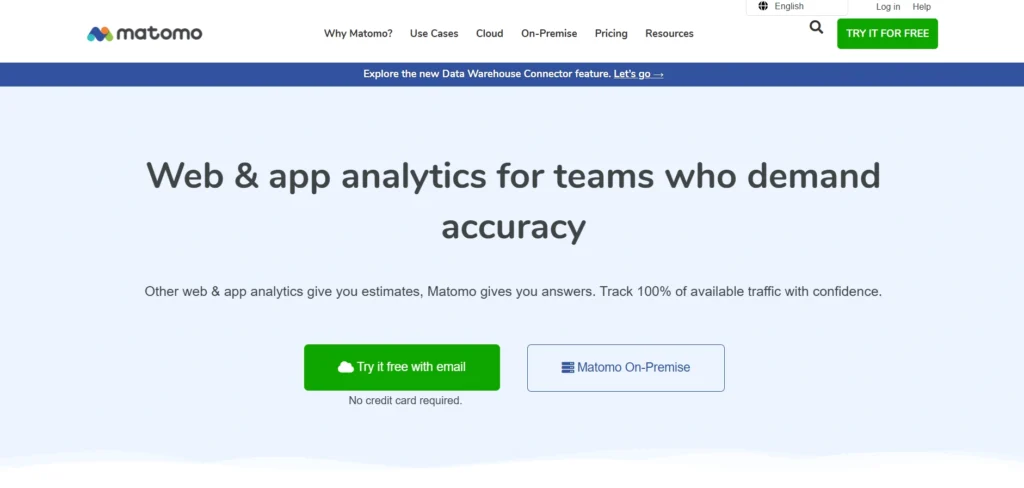
Matomo is widely considered the most direct alternative to Google Analytics for users who want deep technical insights without sacrificing privacy, making it one of the most trusted google analytics alternatives. It provides a comprehensive suite of tools including heatmaps, session recordings, A/B testing, and goal tracking. Unlike most cloud-based competitors, Matomo allows you to host the software on your own servers, ensuring that your data never leaves your infrastructure.
For those who prefer not to manage their own servers, a cloud-hosted version is available with servers located in Europe. Matomo is specifically designed to be GDPR and CNIL compliant, offering a one-click anonymize feature that removes the need for annoying cookie consent banners while still providing high-fidelity user data.
Key features
- Full data sovereignty with self-hosting or EU-based cloud options.
- No data sampling, providing 100% accurate reporting on all traffic.
- Integrated heatmaps and session recordings to visualize user behavior.
- Import tool to migrate historical data directly from Google Analytics.
- Comprehensive e-commerce tracking for sales and revenue attribution.
Pros
- Most feature-complete alternative to Google Analytics on the market.
- Highly extensible with a large marketplace of plugins and themes.
- Strong reputation for compliance, used by large-scale public institutions.
Cons
- Self-hosting requires technical expertise to maintain and secure servers.
- The user interface can feel cluttered and overwhelming for beginners.
- Advanced features like heatmaps are paid add-ons in the self-hosted version.
Pricing:
- Self-hosted. Cloud starts from $18.25/mo
2. Plausible Analytics
- Website: plausible.io
- Best For: Small businesses, bloggers, and startups that prioritize a clean, lightweight, and ethical approach to tracking website performance.
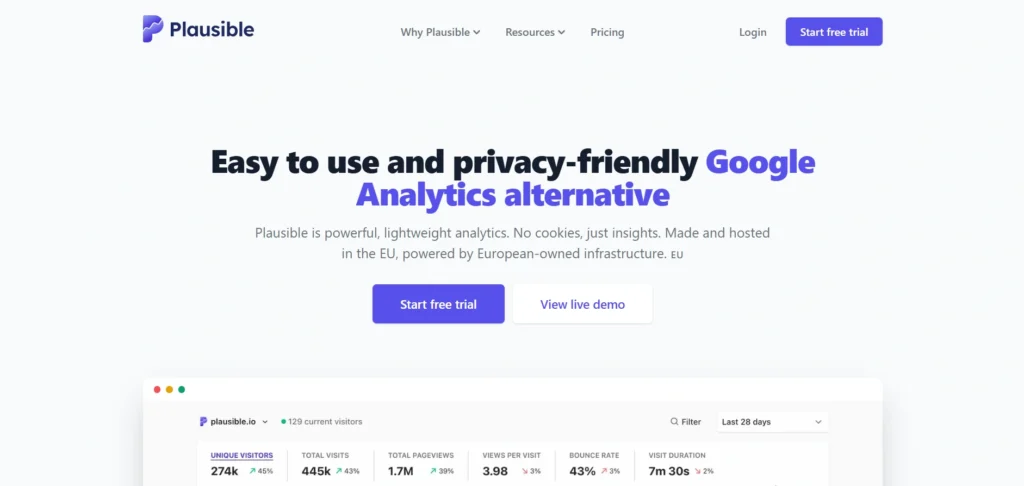
Plausible is a minimalist, open-source web analytics tool that focuses on the core metrics most website owners actually care about, making it a strong option among google analytics competitors. It was built as a direct reaction to the complexity and privacy concerns associated with GA4. The entire dashboard fits on a single page, showing you traffic sources, top pages, and conversion goals without forcing you to dig through endless sub-menus.
The platform is entirely cookieless and does not collect any personal data, meaning you do not need to display a cookie banner for analytics purposes. Its tracking script is significantly smaller than Google’s, which helps improve site loading speeds and overall SEO performance.
Key features
- Tracking script is under 1KB, ensuring zero impact on site performance.
- Simple, one-page dashboard that anyone can understand in seconds.
- Fully compliant with GDPR, CCPA, and PECR out of the box.
- Ability to track custom events and goals for conversion analysis.
- Public dashboard option to share stats openly with your community.
Pros
- Extremely fast and easy to set up with no configuration required.
- No cookie banners needed, providing a better experience for visitors.
- Open-source transparency allows users to verify how data is handled.
Cons
- Lacks advanced behavioral tools like heatmaps or session replays.
- Very limited depth for complex e-commerce or funnel analysis.
- No free tier for the cloud-hosted version after the trial period.
Pricing
| Starter | Growth | Business | Enterprise |
| $9/mo | $14/mo | $19/mo | Custom |
3. Fathom Analytics
- Website: usefathom.com
- Best For: Agencies and digital marketers who need to manage multiple websites under one simple, privacy-focused subscription.
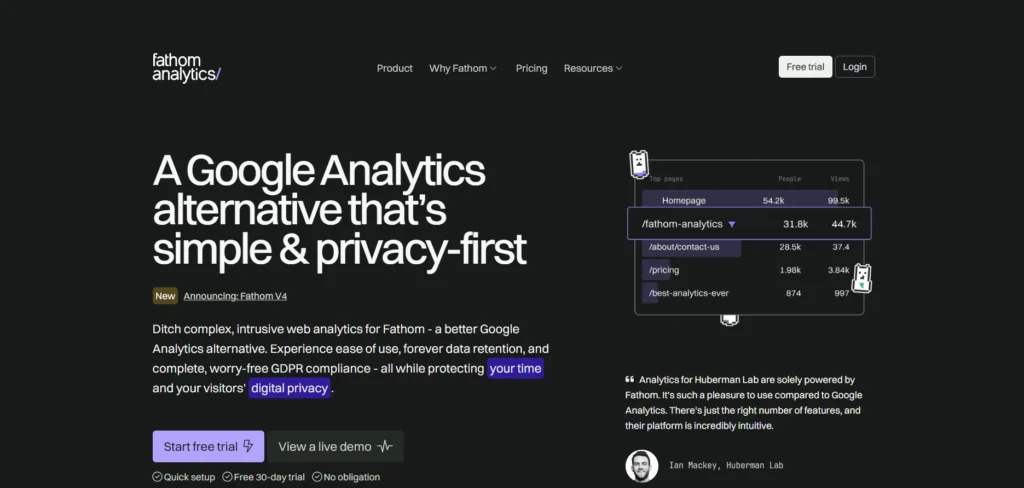
Fathom Analytics pioneered the simple analytics movement by focusing on protecting digital privacy while providing essential insights, making it a strong choice among google analytics alternatives. It is a cloud-based service that uses a unique privacy-first infrastructure to ensure that user data is never sold or used for advertising. Fathom is particularly popular with agencies because their plans allow for an unlimited number of websites on a single account.
In 2026, Fathom remains a top choice for its Uptime Monitoring feature, which notifies you immediately if your website goes down. It also features a bypass ad-blockers capability, ensuring your traffic data remains accurate even when visitors are using aggressive privacy tools.
Key features
- Unlimited websites and email reports included in every plan.
- Built-in uptime monitoring to track site reliability and downtime.
- Intelligent routing that keeps EU visitor data strictly within EU borders.
- Advanced bypass for ad-blockers to ensure high data accuracy.
- Simple dashboard focusing on referrers, pages, and device types.
Pros
- Very predictable pricing model that scales with total pageviews.
- Excellent for managing a portfolio of sites from one login.
- One of the fastest and most reliable support teams in the industry.
Cons
- Does not offer a self-hosted version for those wanting full control.
- Dashboard is very basic and cannot be customized for complex needs.
- No way to track individual user journeys or identity sessions.
Pricing:
- Starts at $15/month.
4. Umami
- Website: umami.is
- Best For: Technical founders and developers who want a modern, self-hosted, and free alternative that looks and feels like a premium product.
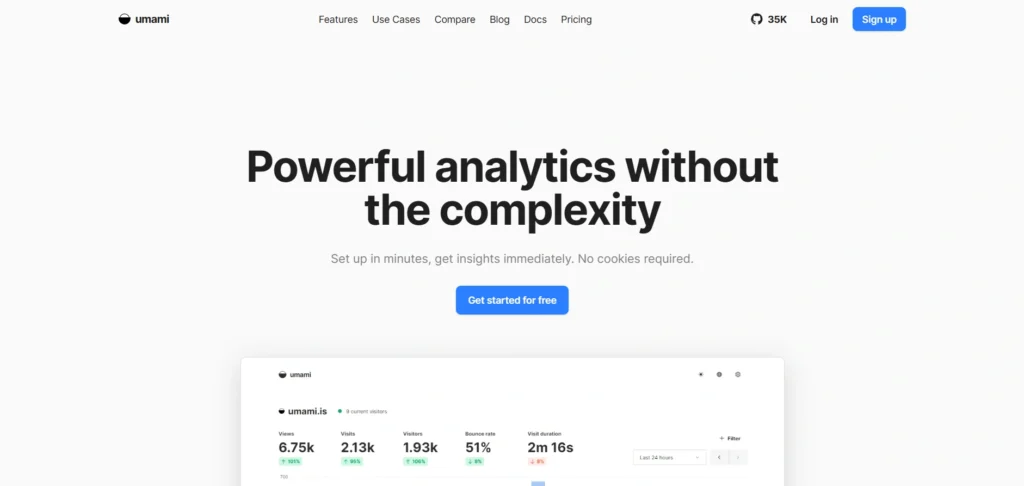
Umami is an open-source analytics project that has gained massive popularity among the developer community, making it a popular choice among google analytics competitors. It is built using modern web technologies like Next.js and is designed to be hosted on your own server using a simple Docker setup. The interface is incredibly sleek and responsive, offering a clean aesthetic that is much more modern than older open-source tools.
It provides all the essential features needed to monitor a website, including real-time traffic, referrer tracking, and custom event triggers. Because it is self-hosted, you have complete control over your database and can ensure that your analytics data is never shared with a third-party corporation.
Key features
- Modern, responsive UI that works perfectly on both desktop and mobile.
- Ability to share specific website stats with others via unique links.
- Lightweight tracking script that respects user privacy without cookies.
- Support for tracking multiple websites and team members.
- Easy deployment on platforms like Vercel, Railway, or personal VPS.
Pros
- Completely free to use if you host it yourself.
- Beautiful and intuitive design that rivals paid competitors.
- Fast performance even with high volumes of traffic data.
Cons
- Requires technical knowledge of servers and databases to install.
- Updates and maintenance are the responsibility of the user.
- Lacks deep integrations with third-party marketing and CRM tools.
Pricing
| Hobby | Pro | Business | Enterprise |
| $0 | $20/mo | $200/mo | Custom |
5. Pirsch Analytics
- Website: pirsch.io
- Best For: European businesses and organizations that require strict adherence to German and EU data residency laws.
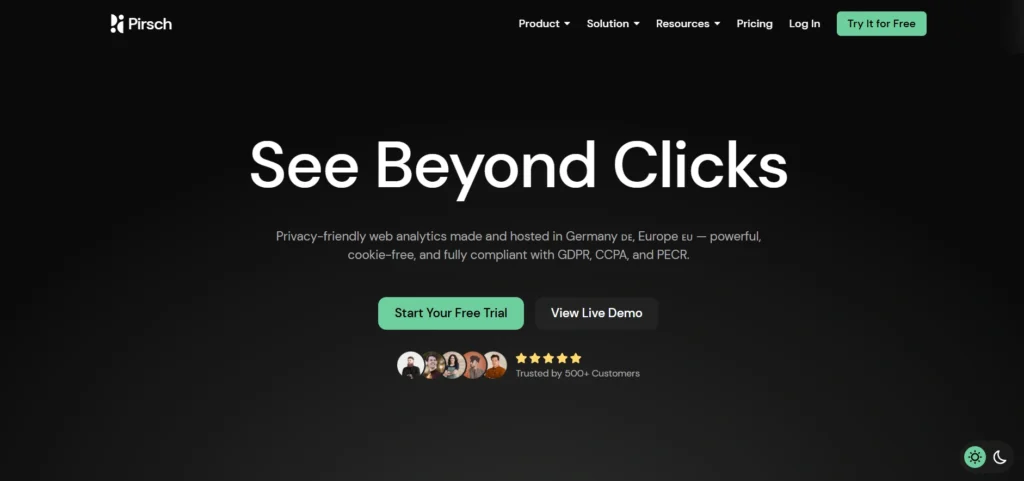
Pirsch is a German-made, privacy-first web analytics platform that is specifically optimized for the European market, making it a reliable option among google analytics alternatives. It uses a unique cookieless fingerprinting method that allows for accurate session tracking without storing any personal information or requiring user consent. This makes it a perfect choice for businesses operating in highly regulated industries
The platform is designed to be developer-first, offering a robust REST API and various SDKs that allow you to integrate analytics data directly into your own applications or custom dashboards. Its backend is highly efficient, capable of processing millions of events without slowing down your website or the reporting interface.
Key features
- All data is stored on servers located within Germany for maximum compliance.
- Powerful REST API for programmatically accessing and exporting data.
- Google Analytics importer to easily transition your historical stats.
- Conversion tracking for specific actions like button clicks or signups.
- White-labeling options for agencies to present stats under their own brand.
Pros
- Best-in-class data residency and legal compliance for EU users.
- Very high data accuracy due to its advanced fingerprinting tech.
- Clean and professional interface that is easy to navigate.
Cons
- Fingerprinting methods can sometimes be blocked by strict browsers.
- Less known community and smaller ecosystem compared to Matomo.
- No free version for hosted accounts.
Pricing:
- Starts at €6/month for up to 10k pageviews.
6. Piwik PRO
- Website: piwik.pro
- Best For: Medium to large enterprises that need a Google Analytics alternatives with high security, compliance standards, and integrated consent management.
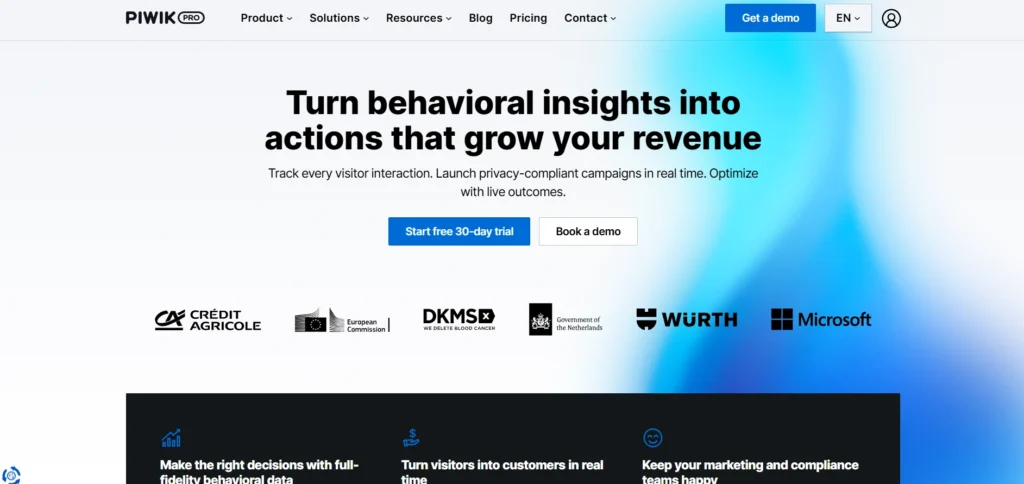
Piwik PRO is a premium analytics suite designed for organizations that operate in highly regulated sectors like healthcare, finance, or government, making it a trusted option among google analytics competitors. It provides a familiar interface for those moving away from Google Analytics but adds a significant layer of privacy and data control. The platform includes a built-in Consent Manager, ensuring that data collection only happens after user approval, or through safe, anonymous tracking methods.
In 2026, Piwik PRO has positioned itself as the go-to for “100% data control,” offering hosting on EU-operated servers or private clouds. Unlike GA4, it provides raw data access and integrated Tag Management within a single ecosystem, making it a robust choice for technical teams who need to merge analytics with existing business intelligence tools.
Key features
- Integrated Consent Management Platform (CMP) to handle GDPR and HIPAA compliance.
- Anonymous tracking mode to capture behavioral data even without cookie consent.
- Customer Journey Analytics that maps user touchpoints across web and mobile apps.
- On-premise, private cloud, or secure public cloud hosting options.
- No data sampling by default, ensuring every user interaction is recorded accurately.
Pros
- Familiar UI makes the transition from Google Analytics very easy for teams.
- Exceptional compliance features including HIPAA-readiness for medical data.
- Combines analytics, tag management, and data activation in one platform.
Cons
- Free “Core” plan is being phased out in 2026, making it a paid-only solution.
- Setup and implementation are more complex than simpler tools like Plausible.
- Premium features and higher data volumes lead to significant enterprise costs.
Pricing:
- Custom Pricing Available on request
7. Mixpanel
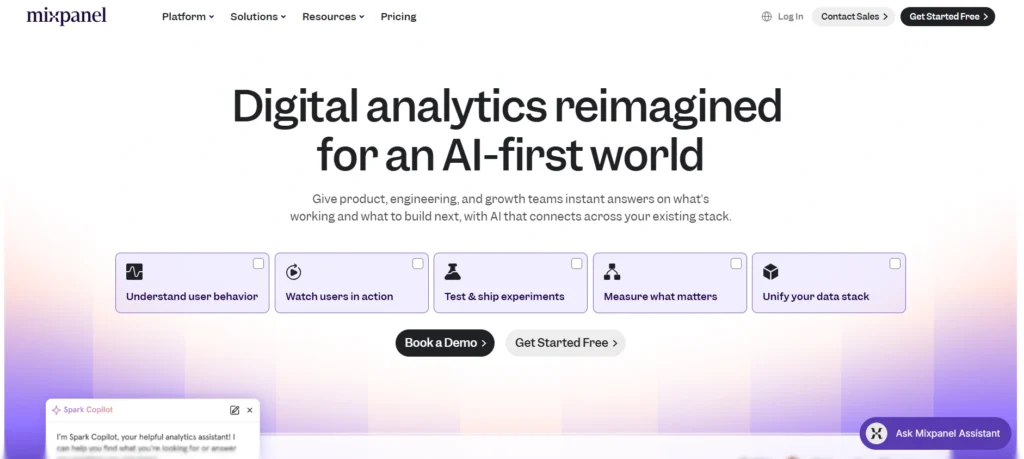
- Website: mixpanel.com
- Best For: Product teams and SaaS companies that want to move beyond pageviews to track specific user actions and feature engagement.
Mixpanel is the industry leader in event-based analytics, focusing on what users actually do inside an application rather than just how they arrived, making it a powerful choice among google analytics alternatives. It allows teams to build complex funnels, track retention cohorts, and perform “root cause” analysis to see why users drop off at certain stages. Its 2026 updates include “Metric Trees,” which help teams visualize how small product changes impact high-level business goals.
The platform is designed for real-time data exploration. Instead of waiting for reports to process, developers and product managers can ask complex questions of their data and get answers instantly. Its deep integration with marketing automation tools makes it easy to trigger emails or notifications based on specific user behaviors.
Key features
- Advanced Funnel Analysis with the ability to “slice and dice” by any user property.
- Retention reports that show exactly which features keep users coming back.
- Group Analytics to track behavior at an account level rather than just individuals.
- Deep integration with data warehouses like Snowflake, BigQuery, and Redshift.
- AI-powered “Signals” feature that identifies trends and anomalies automatically.
Pros
- Best-in-class UI for exploring event-level data without writing SQL.
- Powerful cohort building for targeted marketing and product experiments.
- Generous free tier for startups just beginning their analytics journey.
Cons
- Can become very expensive as your user base and event volume scale.
- Requires a well-planned tracking plan and engineering time for implementation.
- Not ideal for simple content sites or blogs that only need basic traffic stats.
Pricing:
- Free version available. Advanced plans are available on request.
8. Amplitude
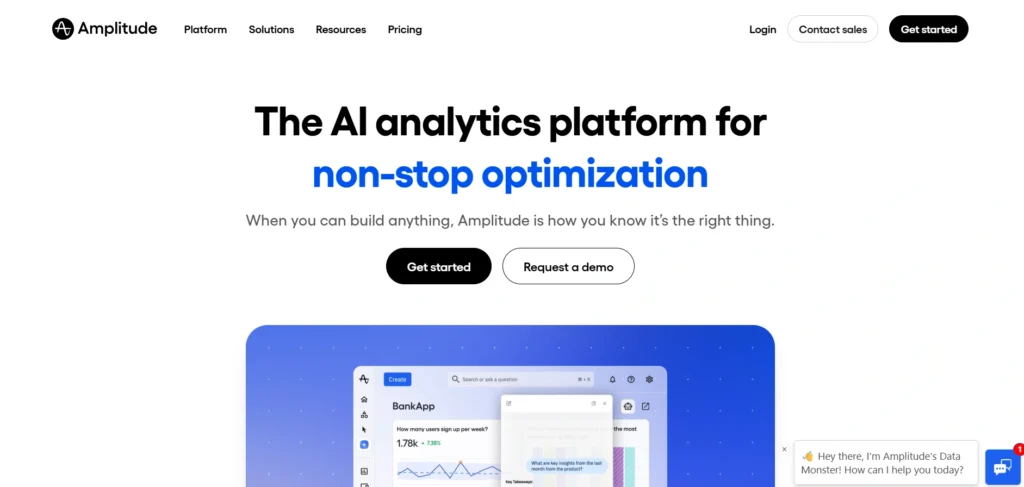
- Website: amplitude.com
- Best For: Large-scale digital products and enterprises requiring predictive insights and advanced behavioral segmentation.
Amplitude is a sophisticated product intelligence platform that competes directly with GA4’s advanced features, making it a leading option among google analytics competitors. It is built to handle massive data volumes and offers a “Behavioral Graph” that tracks complex customer journeys across multiple devices and products. In 2026, Amplitude expanded its “Experimentation” suite, allowing teams to run A/B tests and rollout feature flags directly from their analytics dashboard.
What sets Amplitude apart is its focus on predictive analytics. It can identify which users are likely to churn or which ones are most likely to convert, allowing companies to be proactive in their growth strategies. It is a highly technical tool that thrives in environments where data-driven decision-making is at the core of the business.
Key features
- Predictive Analytics to forecast future user behavior and revenue.
- Native A/B testing and Feature Flagging integrated with behavioral data.
- Compass report which identifies moments that lead to long-term retention.
- Data Governance tools to keep your event taxonomy clean and organized.
- Industry-specific templates for Fintech, E-commerce, and Gaming.
Pros
- Extremely powerful for analyzing complex, multi-product ecosystems.
- Includes built-in experimentation tools, reducing the need for extra software.
- Highly scalable infrastructure that supports the world’s largest apps.
Cons
- Very steep learning curve; often requires a dedicated data analyst.
- The “Growth” and “Enterprise” tiers are significantly more expensive than rivals.
- Can feel “over-engineered” for simple websites or basic lead generation.
Pricing:
| Free | Plus | Growth | Enterprise |
| $0 | $49/mo | Custom | Custom |
9. Adobe Analytics

- Website: adobe.com/analytics
- Best For: Global corporations already embedded in the Adobe Experience Cloud ecosystem.
Adobe Analytics is the traditional “heavyweight” alternative to Google Analytics, specifically targeting Fortune 500 companies, and is often listed among top google analytics alternatives. It offers a level of customization and depth that is virtually unmatched in the industry. Through its “Analysis Workspace,” users can build highly complex, drag-and-drop reports that combine data from web, mobile, offline, and third-party sources.
In 2026, Adobe integrated “Agentic Workflows” via the Model Context Protocol (MCP), allowing executives to request complex reports using natural language. It is less of a “plug-and-play” script and more of a total business intelligence solution that requires significant investment in both time and money to master.
Key features
- Analysis Workspace for multi-channel data visualization and deep dives.
- Advanced attribution modeling including AI-driven algorithmic attribution.
- Integration with Adobe Journey Optimizer for real-time personalization.
- High-fidelity tracking for live streaming media and sports content.
- Sophisticated anomaly detection to identify spikes or drops in data.
Pros
- Unrivaled flexibility for custom data structures and reporting.
- Deeply integrated with other Adobe tools like Target and Campaign.
- Handles extremely large and complex datasets without performance lag.
Cons
- Extremely high cost, often starting in the mid-five figures annually.
- Implementation usually requires a specialized consultant or agency.
- Interface and terminology are very different from standard web analytics.
Pricing: custom
10. Heap
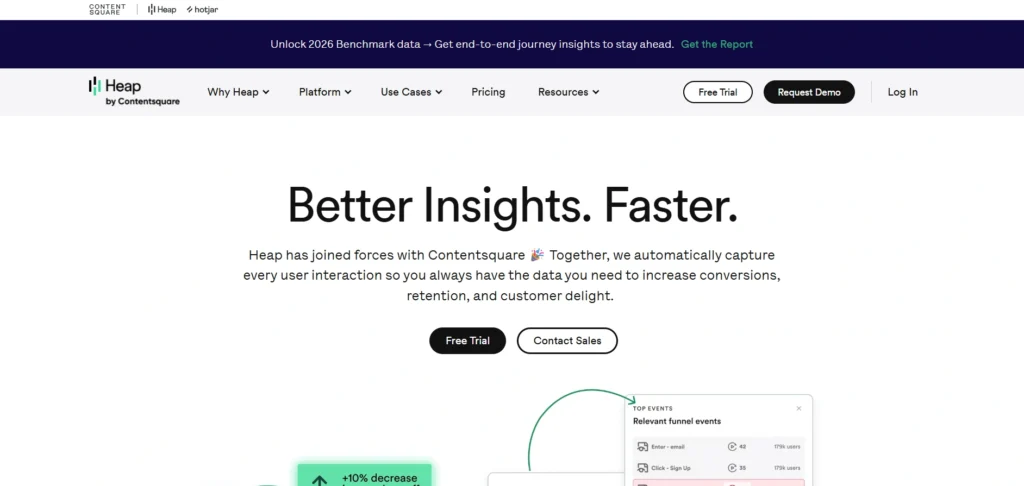
- Website: heap.io
- Best For: Teams with limited engineering resources who want to track everything automatically without manual tagging.
Heap’s main selling point is “Autocapture,” making it a standout feature among google analytics competitors. Instead of requiring developers to manually tag every button, form, and link, Heap automatically captures every interaction on your site from the moment the script is installed. This allows you to define “events” retroactively. If you decide today that you want to see how a button performed six months ago, the data is already there waiting for you.
This approach makes Heap an excellent choice for fast-moving startups where the product changes weekly. In 2026, Heap’s “Illuminate” AI feature automatically surfaces “hidden” friction points in your user journey, telling you exactly where users are getting stuck without you having to dig through the data yourself.
Key features
- Autocapture technology for zero-manual-effort event tracking.
- Retroactive data analysis that applies to historical interactions.
- Visual Labeling tool that lets non-technical users define events by clicking.
- Integrated session replays to see exactly how users interact with pages.
- Heap Illuminate for AI-driven discovery of conversion opportunities.
Pros
- Fastest time-to-value for teams that don’t have time to write code.
- No data loss; you never have to worry about “forgetting” to track an event.
- Great for non-technical marketers and product managers.
Cons
- Large amounts of autocaptured data can become messy without organization.
- High volume of data processing can lead to occasional reporting delays.
- The “Free” tier is very limited in terms of sessions and features.
Pricing: Free tier available; paid plans available on request.
11. Clicky
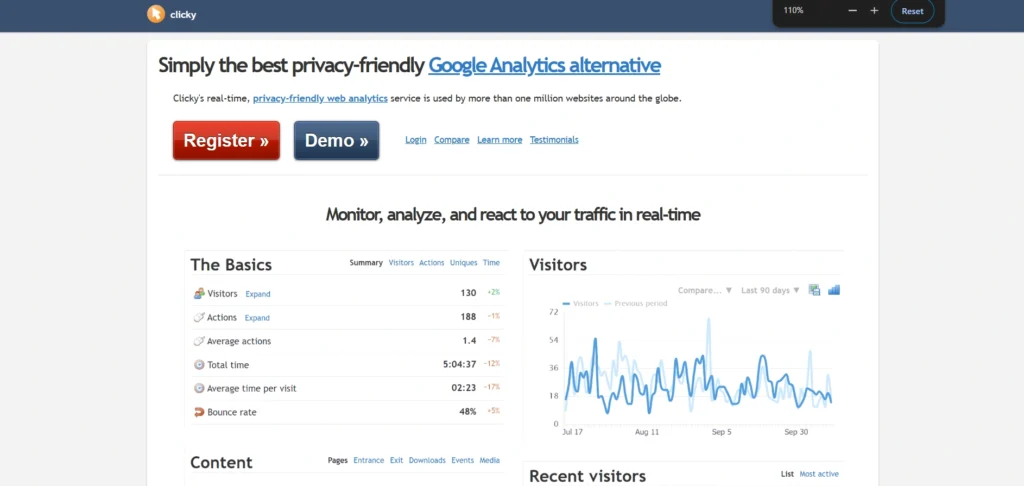
- Website: clicky.com
- Best For: Bloggers and small business owners who want a straightforward, no-nonsense tool with a heavy focus on real-time traffic monitoring.
Clicky is a veteran in the analytics space, known for its “Spy” view that allows you to see exactly what every visitor is doing on your site in real-time without refreshing the page, making it a practical choice among google analytics alternatives. Unlike GA4, which can have data processing delays, Clicky provides instantaneous feedback on traffic spikes and user interactions. The interface is intentionally retro and functional, prioritizing data speed over modern design trends.
In 2026, Clicky remained popular for its built-in uptime monitoring and simple heatmapping. It automatically tracks outbound links and downloads without any extra configuration. For those who find the Google ecosystem too “corporate,” Clicky offers a transparent and highly reliable alternative that has maintained a loyal following for over a decade.
Key features
- The “Spy” dashboard for 1:1 real-time visitor monitoring.
- Integrated heatmaps to visualize where users are clicking on specific pages.
- On-site analytics widget that lets you see stats without leaving your website.
- Automatic tracking of external link clicks and file downloads.
- Built-in uptime monitoring to alert you if your website goes offline.
Pros
- Real-time data is truly instantaneous compared to Google’s delays.
- Very easy to set up with almost zero configuration required.
- Highly accurate at detecting and filtering out bot traffic.
Cons
- The user interface looks dated compared to modern tools like Umami.
- Pricing for heatmaps is gated behind the higher-tier “Pro Plus” plans.
- Not ideal for complex mobile app tracking or deep product funnels.
Pricing: Available on request.
12. PostHog
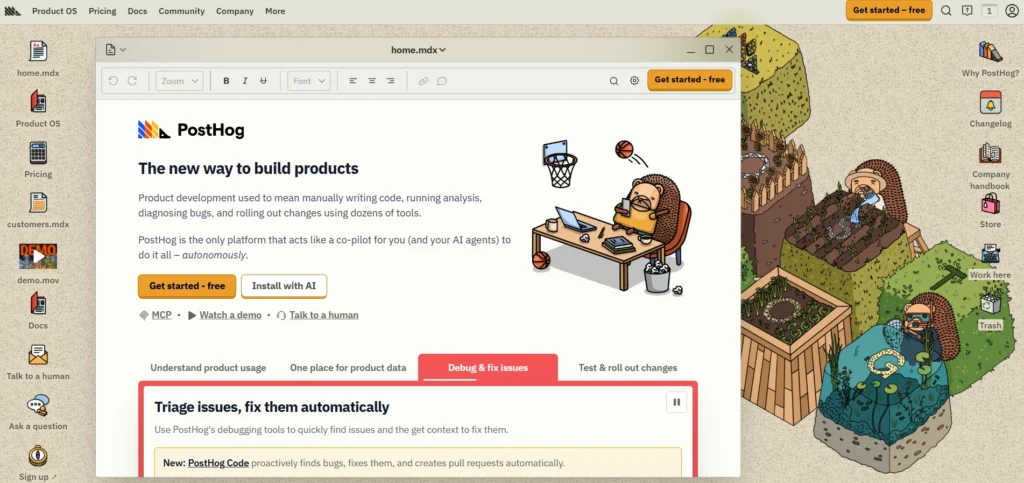
- Website: posthog.com
- Best For: Engineers and data-driven product teams who want an “all-in-one” suite that combines analytics, session replays, and feature flags.
PostHog is an open-source platform that describes itself as “the toolkit for building better products,” making it a powerful option among google analytics competitors. It goes far beyond standard web analytics by integrating session recordings, heatmaps, A/B testing, and feature flags into a single dashboard. This allows developers to see exactly why a user failed to complete a signup and then push a code fix or experiment directly through the same platform.
In 2026, PostHog’s “Data Warehouse” feature allows teams to join their product analytics with external data from Stripe, Hubspot, or Zendesk. It is highly extensible and offers a “self-hostable” version for companies that need to keep their data on their own infrastructure for security or compliance reasons.
Key features
- Complete product suite including session recording and feature flags.
- Ability to self-host on your own infrastructure via Docker or Kubernetes.
- Advanced “Group Analytics” to track how entire companies use your software.
- Built-in survey tool to gather qualitative feedback from specific user segments.
- Robust API and plugin system for custom data exports and integrations.
Pros
- Replaces 3-4 different tools (Analytics, Hotjar, LaunchDarkly, etc.) in one.
- Extremely generous free tier that includes almost all premium features.
- Transparent, usage-based pricing that scales with your growth.
Cons
- Can be “overkill” for simple websites that only need traffic stats.
- The wide array of features creates a steeper learning curve for non-technical users.
- High event volumes can lead to high costs if not monitored carefully.
Pricing:
- Custom
13. GoSquared
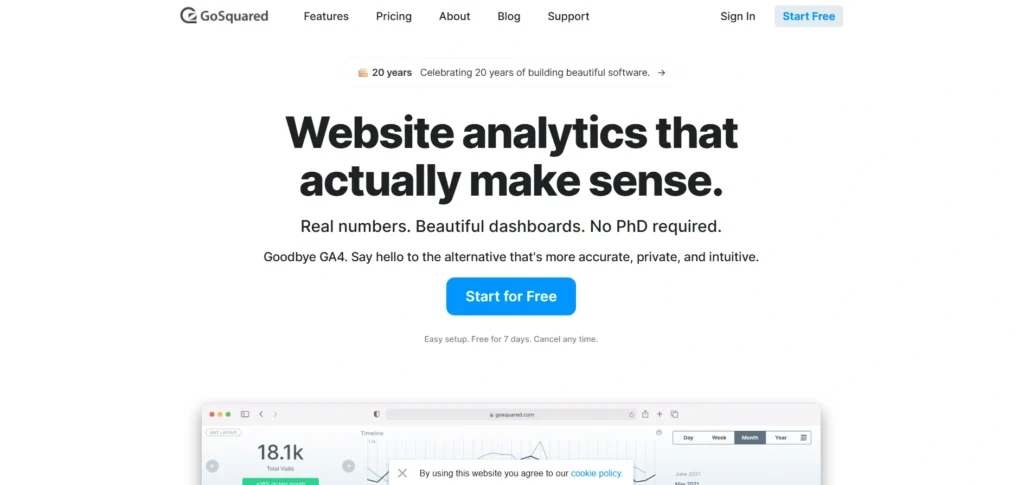
- Website: gosquared.com
- Best For: SaaS companies and e-commerce stores that want to combine web analytics with live customer chat and lead generation.
GoSquared bridges the gap between marketing analytics and customer support, making it a versatile option among google analytics alternatives. It provides a beautiful, real-time dashboard that not only tracks where visitors are coming from but also allows you to interact with them instantly. Their “Now” dashboard is one of the most visually appealing in the industry, designed to be displayed on office monitors to keep teams aligned on current traffic trends.
The platform excels at identifying high-value leads. When a visitor returns to your site multiple times, GoSquared can notify your sales team or trigger a personalized chat message. This makes it a direct competitor to the “Google Analytics + Intercom” stack, offering a more integrated and cost-effective solution for growing businesses.
Key features
- “Now” dashboard for high-definition, real-time traffic visualization.
- Integrated Live Chat that connects website behavior to support conversations.
- Smart “Predictive” metrics that estimate future traffic based on current trends.
- Automated lead capture and visitor profiles for sales teams.
- One-click integrations with Slack, Zapier, and various CRM platforms.
Pros
- Excellent for converting anonymous traffic into identified leads.
- One of the most beautiful and user-friendly interfaces on the market.
- Combines analytics and communication, reducing software fragmentation.
Cons
- More expensive than “analytics-only” tools like Plausible or Pirsch.
- Not a pure privacy tool; it often requires cookie consent for full features.
- Limited deep behavioral reporting compared to Mixpanel or Amplitude.
Pricing:
| Starter | Standard | Pro | Scale |
| $9/mo | $24/mo | $49/mo | $99/mo |
14. Simple Analytics
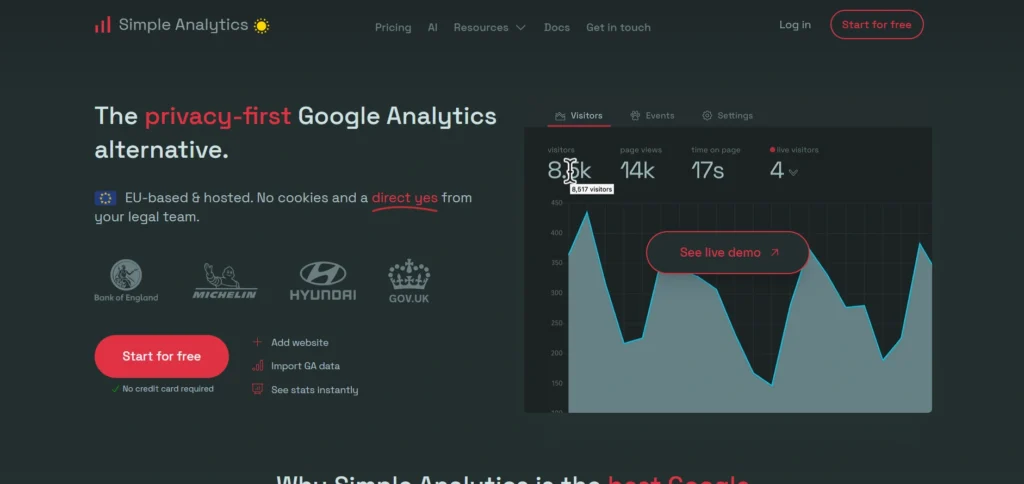
- Website: simpleanalytics.com
- Best For: Privacy purists and organizations that want to be 100% compliant without ever using a cookie banner.
Simple Analytics is the “anti-Google” of the analytics world, making it a strong choice among google analytics competitors. Their philosophy is that you shouldn’t have to track individual people to understand how your website is performing. The tool collects zero personal data, uses no cookies, and never tracks users across different websites. This allows you to completely remove cookie consent banners while still getting accurate data on pageviews and referrers.
The dashboard is intentionally basic, focusing on “clean” data that is easy for anyone to read. In 2026, they have introduced “AI Explainer” modules that summarize your weekly traffic changes in plain English. It is a favorite among EU-based companies that want to ensure they are fully compliant with the latest privacy regulations.
Key features
- 100% cookie-free tracking—no consent banners required ever.
- Clean, non-technical dashboard focusing on the most important metrics.
- Email reports that summarize your stats without requiring you to log in.
- Ability to import your old Google Analytics data for continuity.
- “Bypass ad-blocker” feature that uses custom domains for tracking.
Pros
- The easiest way to achieve full GDPR/CCPA compliance.
- Zero impact on page load speeds due to an ultra-lightweight script.
- Strong ethical stance on data privacy that builds trust with visitors.
Cons
- Very limited features; no funnels, heatmaps, or session tracking.
- No free tier (only a trial), as they do not monetize your data.
- Cannot track returning users accurately because it doesn’t use IDs.
Pricing:
| Free | Simple | Team | Enterprise |
| Free | $15/mo | $40/mo | Custom |
15. LogRocket
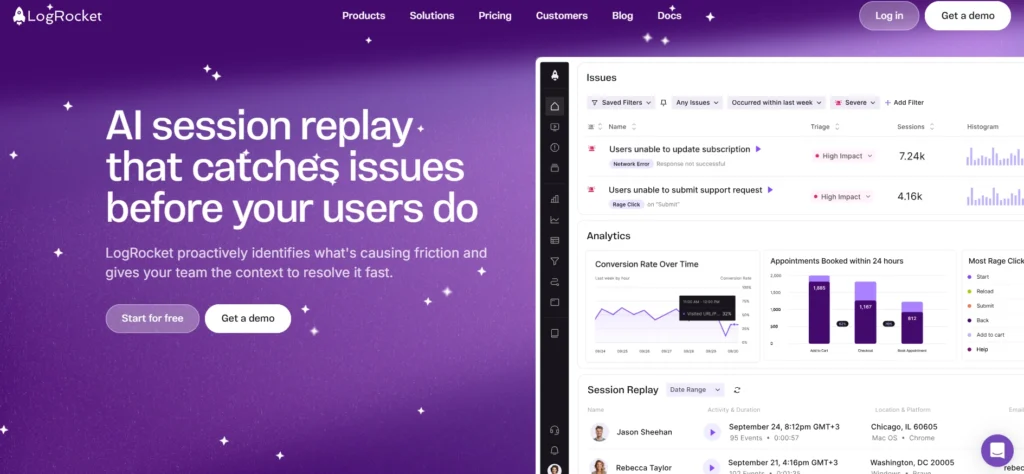
- Website: logrocket.com
- Best For: Software engineers and UX designers who need to debug technical issues and fix broken user experiences in real-time.
While Google Analytics tells you what happened, LogRocket shows you why, making it a powerful addition to the list of google analytics alternatives. It is a specialized analytics tool that records every pixel of a user’s session, including console logs, network requests, and JavaScript errors. If a user encounters a “red” error message or a broken button, LogRocket allows you to replay that exact session to see the bug from the user’s perspective.
In 2026, LogRocket introduced “Galileo,” an AI-powered assistant that automatically scans your sessions to find the most frustrating bugs and usability issues. It ranks them by “Impact Score,” telling your engineering team which fixes will result in the biggest increase in conversion or revenue.
Key features
- Full session replay with synchronized console logs and network data.
- Error tracking that captures JavaScript exceptions and failed API calls.
- “Friction Score” that identifies rage-clicks and confusing navigation.
- Heatmaps and click-maps for visual interaction analysis.
- Funnel analysis linked directly to session recordings of users who dropped off.
Pros
- Invaluable for technical teams debugging complex web applications.
- Connects technical errors directly to business and revenue impact.
- Excellent for customer support teams to see exactly what a user saw.
Cons
- Higher pricing than standard analytics due to heavy data processing.
- Can have a slight impact on performance if not configured correctly.
- Requires careful configuration to mask sensitive user data in replays.
Pricing:
| Free | Team | Professional | Enterprise |
| $0 | $69/mo | $295/mo | Custom |
How to Choose the Best Google Analytics Alternative
- Define Your Primary Goal: Determine if you need high-level traffic overview for a blog, deep event-based tracking for a SaaS product, or technical debugging tools for a development team to avoid paying for unnecessary features.
- Evaluate Technical Resources: Honestly assess whether your team has the expertise to maintain a self-hosted instance for full data control or if you require a managed, plug-and-play cloud solution to save on engineering time.
- Check Privacy and Compliance Requirements: Verify if your target audience is in a region with strict laws like GDPR or the 2026 Digital Omnibus, which may necessitate a tool that offers cookieless tracking or local EU data residency.
- Analyze Performance Impact: Review the weight of the tracking script provided by the alternative; choosing a lightweight script (under 5KB) is essential for maintaining fast site speeds and high Core Web Vitals scores.
- Compare Long-term Scalability: Look beyond the entry-level pricing to understand how costs increase as your traffic or event volume grows, especially when using bulk SERP analysis tools for advanced ranking and keyword monitoring.
Conclusion
In conclusion, choosing the right analytics tool in 2026 really comes down to what you value most: detailed user data or visitor privacy, especially when exploring google analytics alternatives. While Google Analytics was once the only real option, the market has shifted toward simpler, faster, and more private tools. If you just want to see how many people are visiting your site without dealing with complex menus, a lightweight tool like Plausible or Umami is a great choice. These allow you to skip the annoying cookie banners and keep your site running quickly.
On the other hand, if you are building a complex app and need to know exactly where users are getting stuck, moving toward an event-based tool like Mixpanel or PostHog will give you much better insights than a standard tracker, especially when comparing google analytics competitors. Take advantage of the free trials or self-hosted versions to see which interface feels most natural for your team. The best alternative is
ultimately the one that gives you clear, actionable answers without making you feel like a data scientist.
FAQs
Q1. Do I Still Need A Cookie Consent Banner If I Switch To A Privacy-Focused Tool?
In many cases, no. Tools like Simple Analytics and Plausible use “cookieless” tracking and do not collect personal data (PII). Because they don’t store information on the user’s device or track individuals across different websites, they often fall outside the legal requirement for a consent banner under GDPR and CCPA, leading to a much cleaner user experience.
Q2. Why Do Some Alternatives Show More Traffic Than Google Analytics?
Google Analytics is often blocked by ad-blockers and privacy-conscious browsers, and it misses data from users who decline cookie banners. Privacy-first alternatives that don’t use cookies are less likely to be blocked and don’t require opt-ins. This can result in “recovering” 10% to 50% of traffic data that was previously invisible in Google Analytics.
Q3. Are These Alternatives As Accurate As Google Analytics?
Actually, they are often more accurate for core metrics. Google Analytics 4 (GA4) uses “data sampling” and “thresholding” for high-traffic sites, meaning it shows you an estimate rather than raw numbers. Most alternatives, especially self-hosted ones like Matomo or Umami, process 100% of your data without sampling, providing a true count of every visit.
Q4. Will Switching Away From Google Analytics Hurt My SEO?
No. Google has stated repeatedly that using their analytics software is not a ranking factor. In fact, switching to a lightweight alternative can actually improve your SEO. Alternatives often use much smaller tracking scripts (1KB vs GA4’s ~30KB), which helps your website load faster and improves your “Core Web Vitals” scores, a metric Google does use for rankings.
Q5. Can I Use These Tools Alongside Google Analytics?
Yes, it is common to “dual-tag” your website during a transition period. You can run a privacy-focused tool like Fathom alongside GA4 to compare data accuracy and get used to
the new interface before fully making the switch. Just be mindful that running multiple tracking scripts simultaneously can slightly impact your page loading speed.